
| Update Time | Description |
|---|---|
| 2020.3.25 | Update document content and images |
| 2020.4.21 | Update App content |
A paid Google Play developer account, if you don't have one, Click here to view helps, Google Play account application will generally be relatively smooth, 1-2 days to pass.
**Note: ** 1.Account registration requires 25 dollars 2.Need to support visa credit card
4-5 App market preview pictures (Android phone screenshots)
One 512*512 App logo
One 1024*500 App market preview picture
Login in Google Play Console using a registered Google Play developer account Developer console address
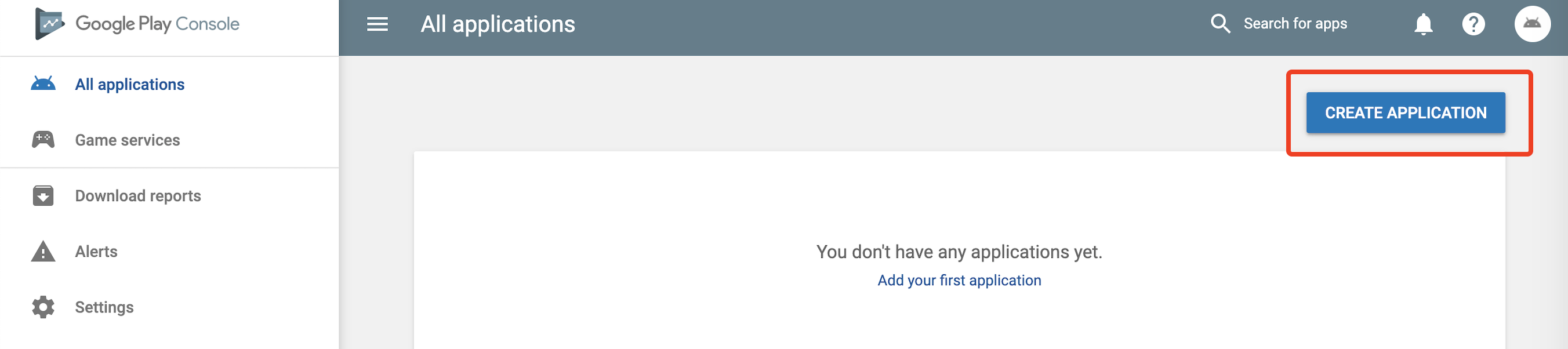
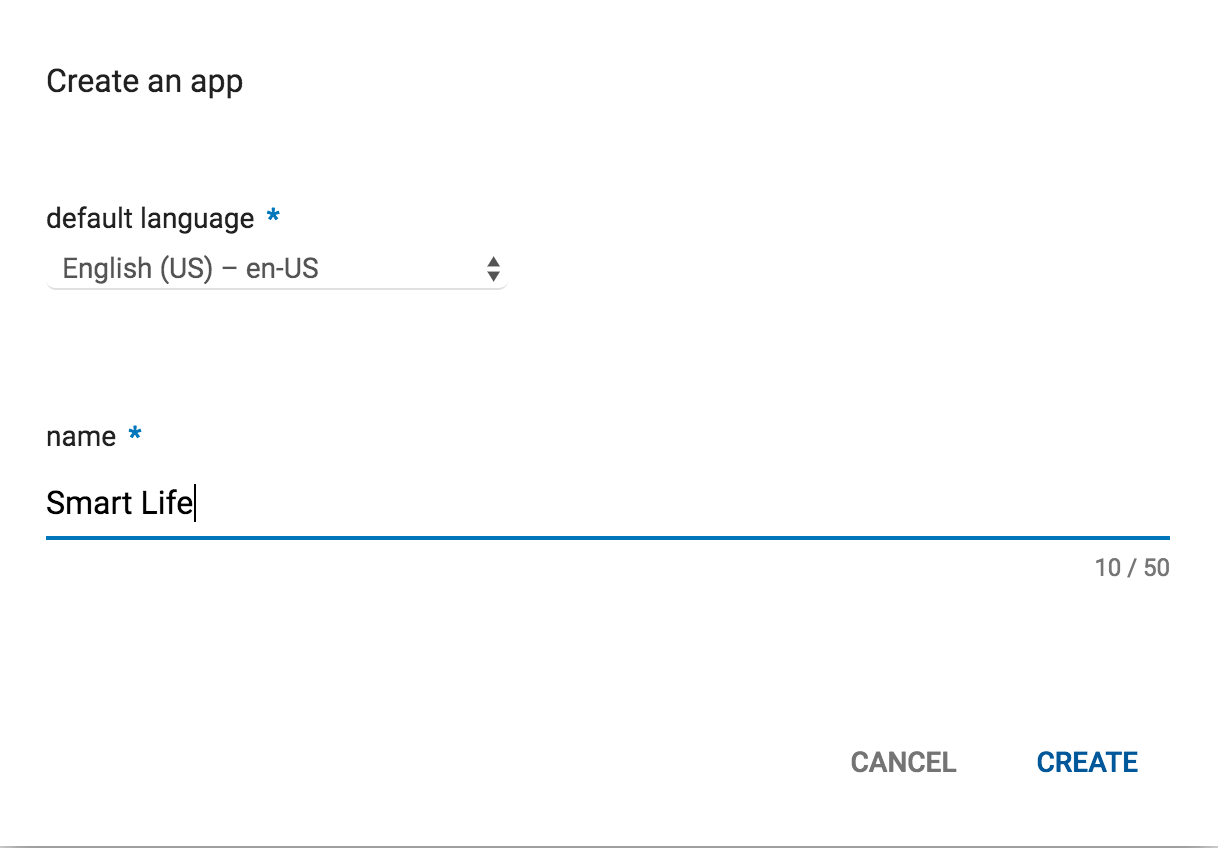
After successful login, click CREATE APPLICATION
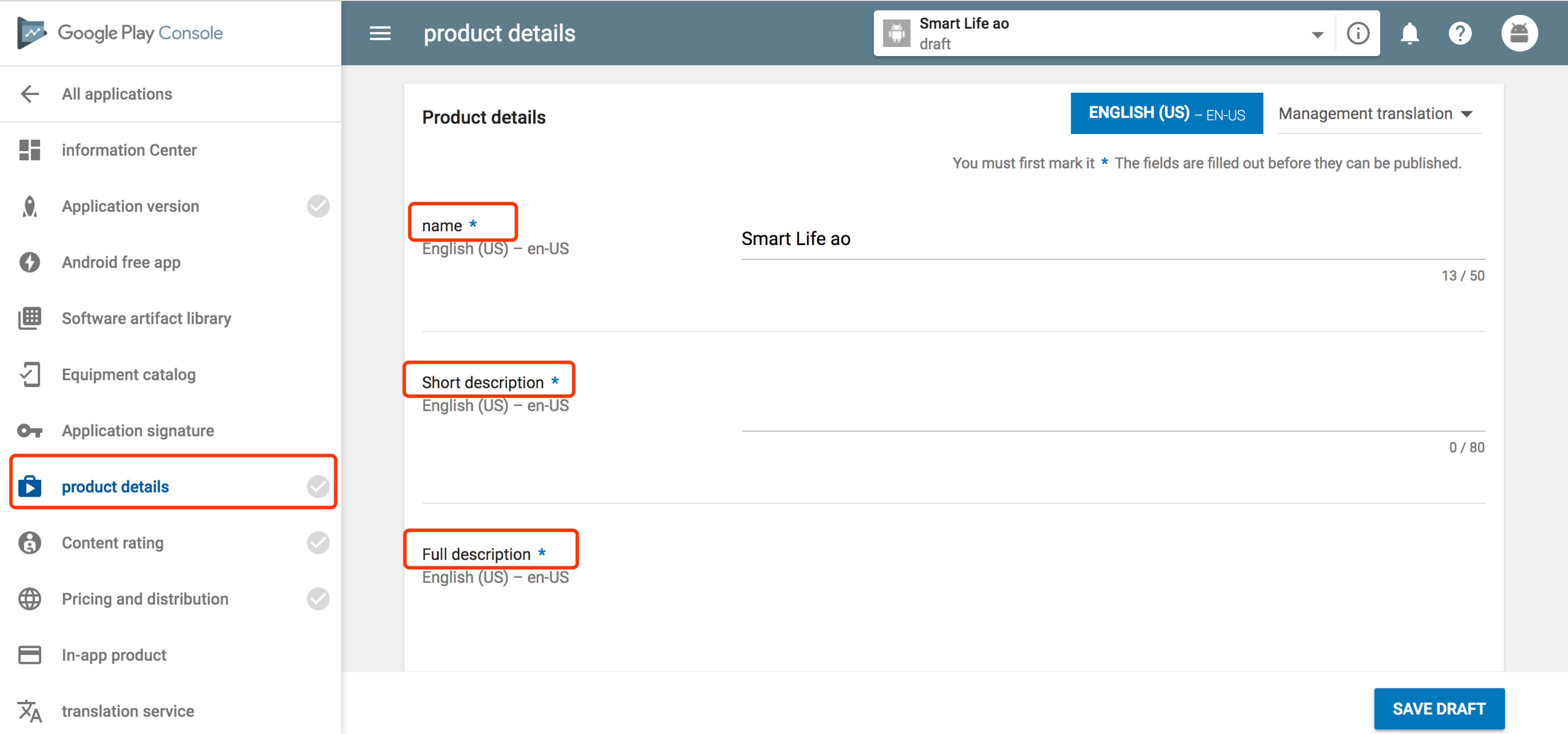
In the left-hand navigation bar, select Product Details , fill in the App Intro, including short description, full description, and other info.
MOBILE PHONE tab : select 3-4 screenshots that demonstrate the App in useHigh resolution icon, upload a high resolution (512*512) icon/logo in png or JPEG formatTop map , upload promotional picture. This must be 1024*500, no alpha channel, JPEG format recommended.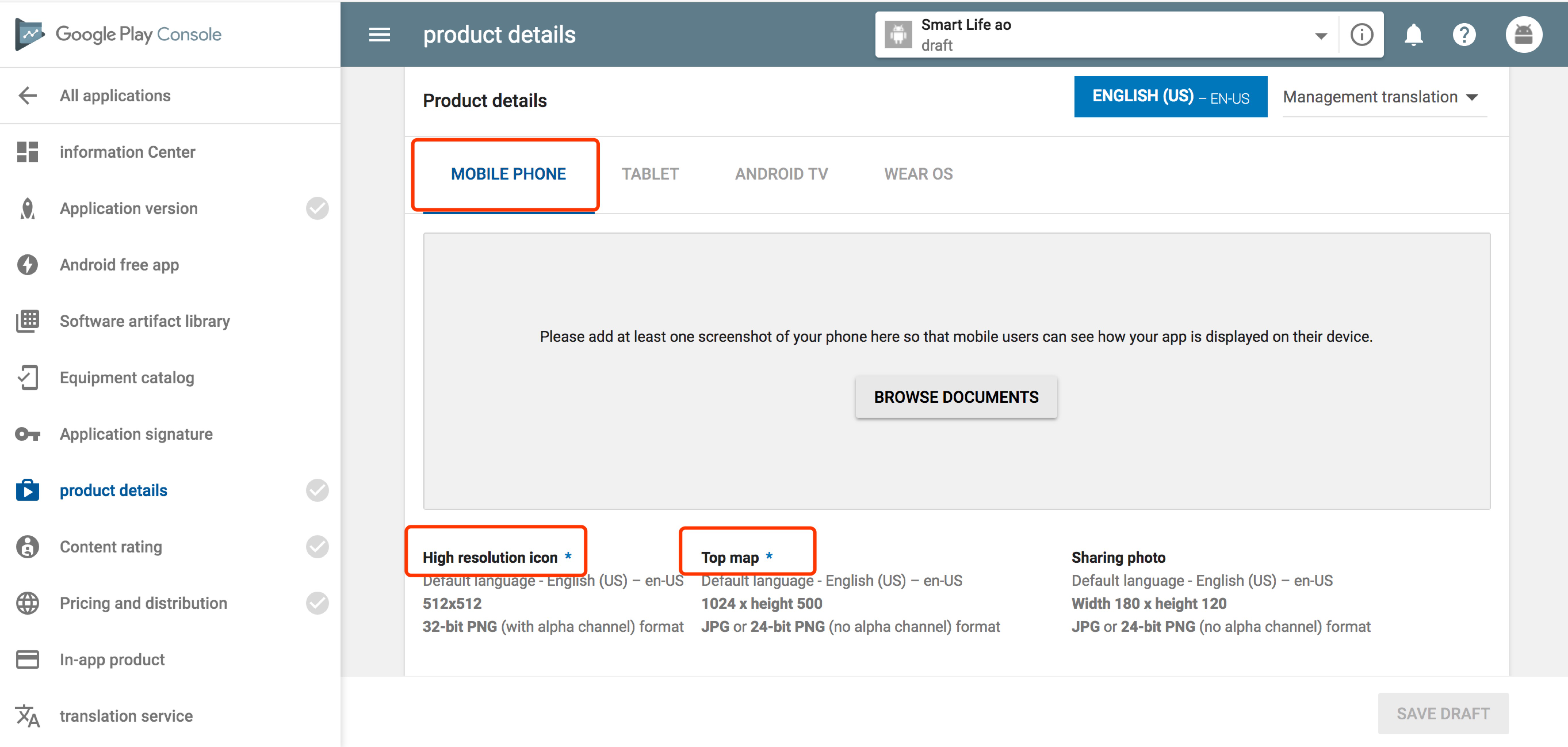
application type: Select "application"Category: Select "Tools"Content Rating: This field must be completed after uploading the App installation package (see following steps for explanation)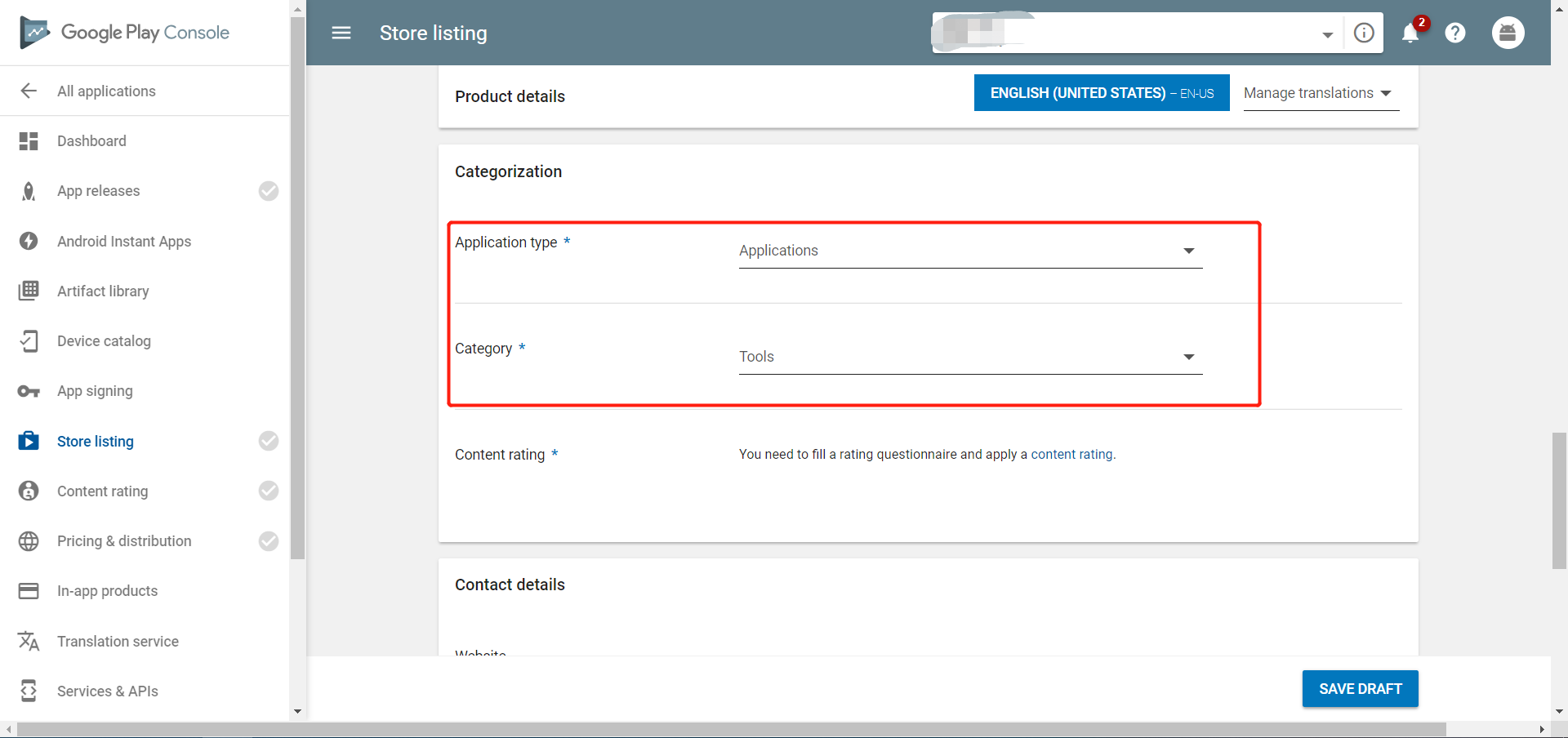
Website: It could be your official website, or your technical support website.Email address: we recommend using an email address for public; this address will be displayed in Google Play.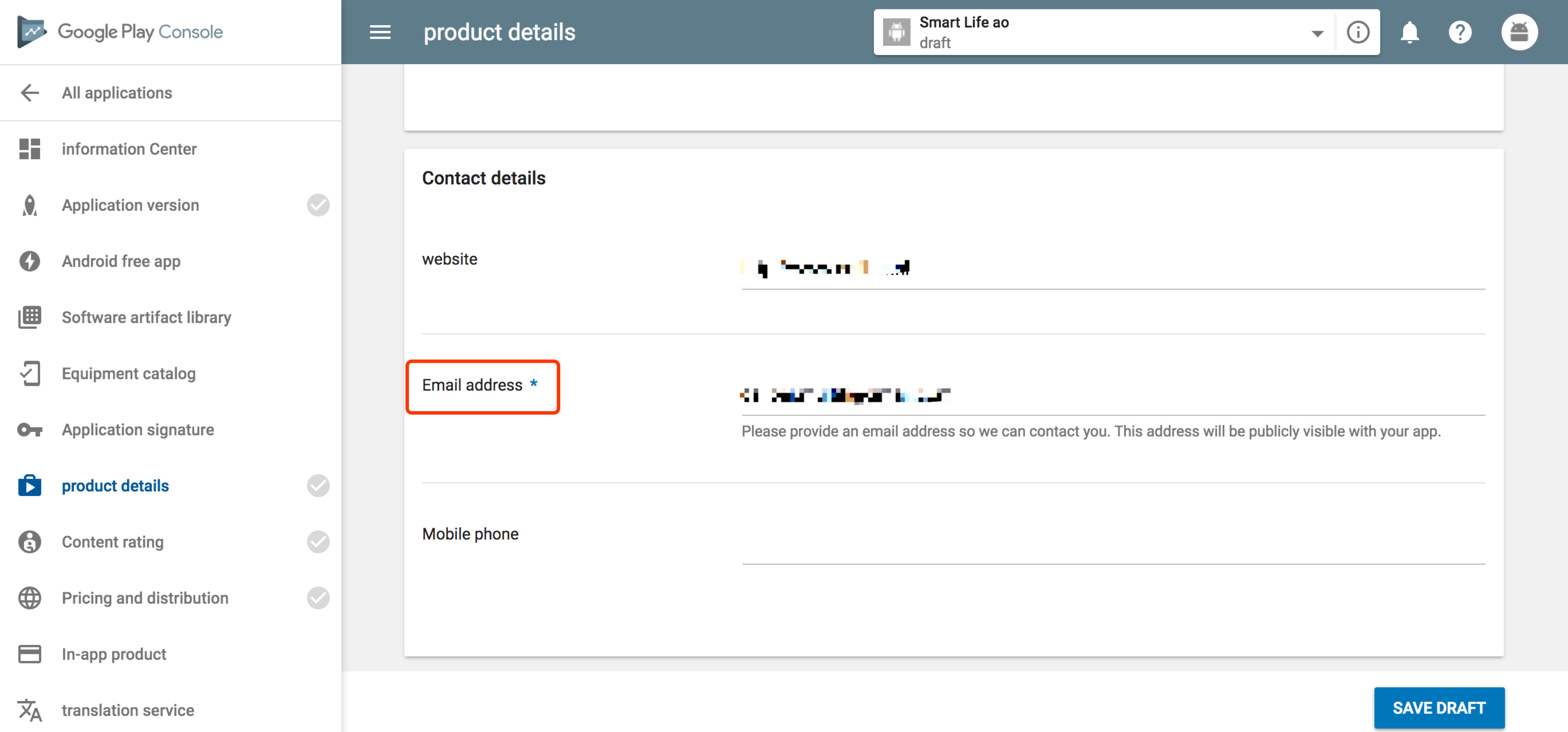
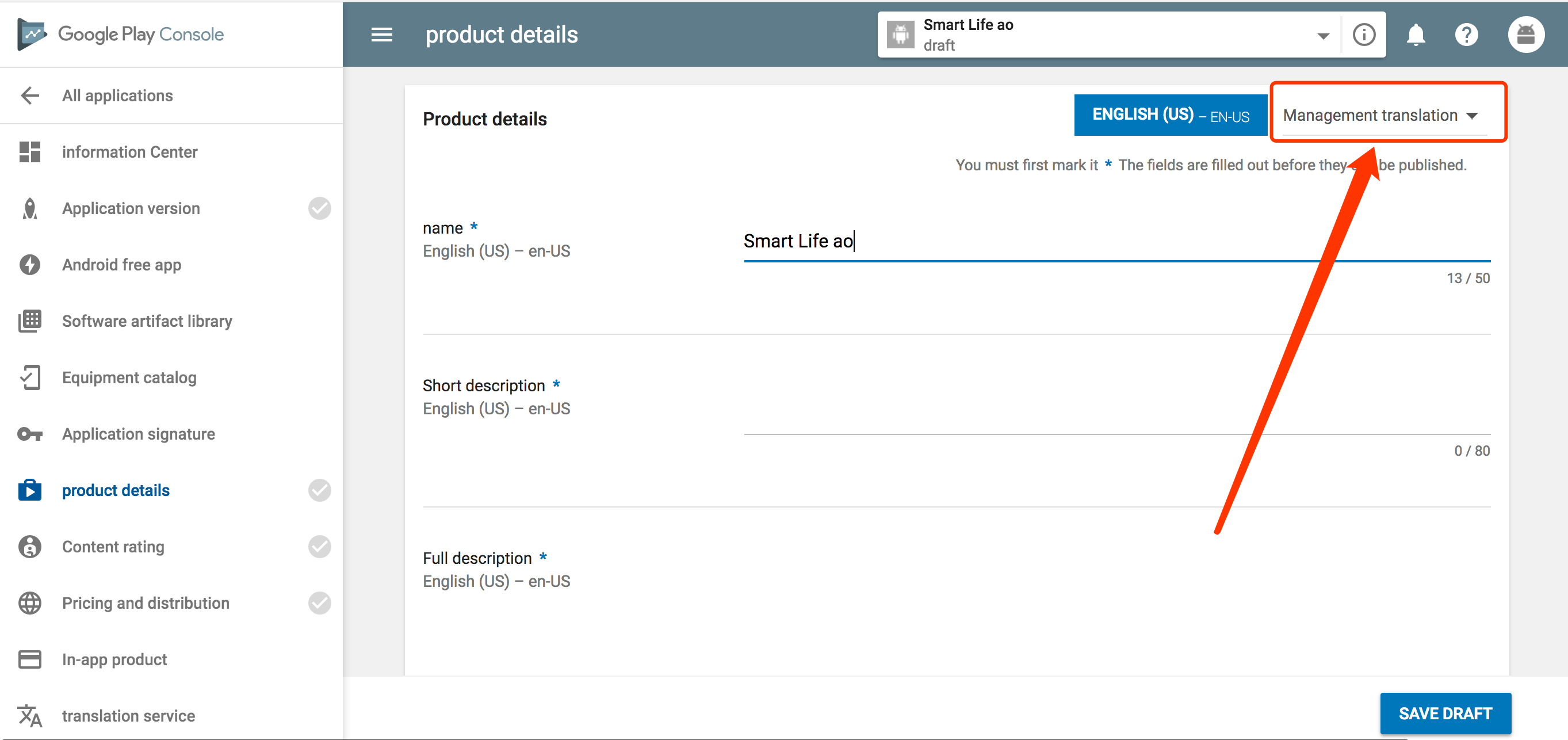
If the App should be listed in different countries, adding preview information in different languages will be necessary. To do this,click Management translationat the top right, and select the languages you wish to add, then modify the App information to reflect these changes.
Select App releases in the left hand navigation bar
MANAGE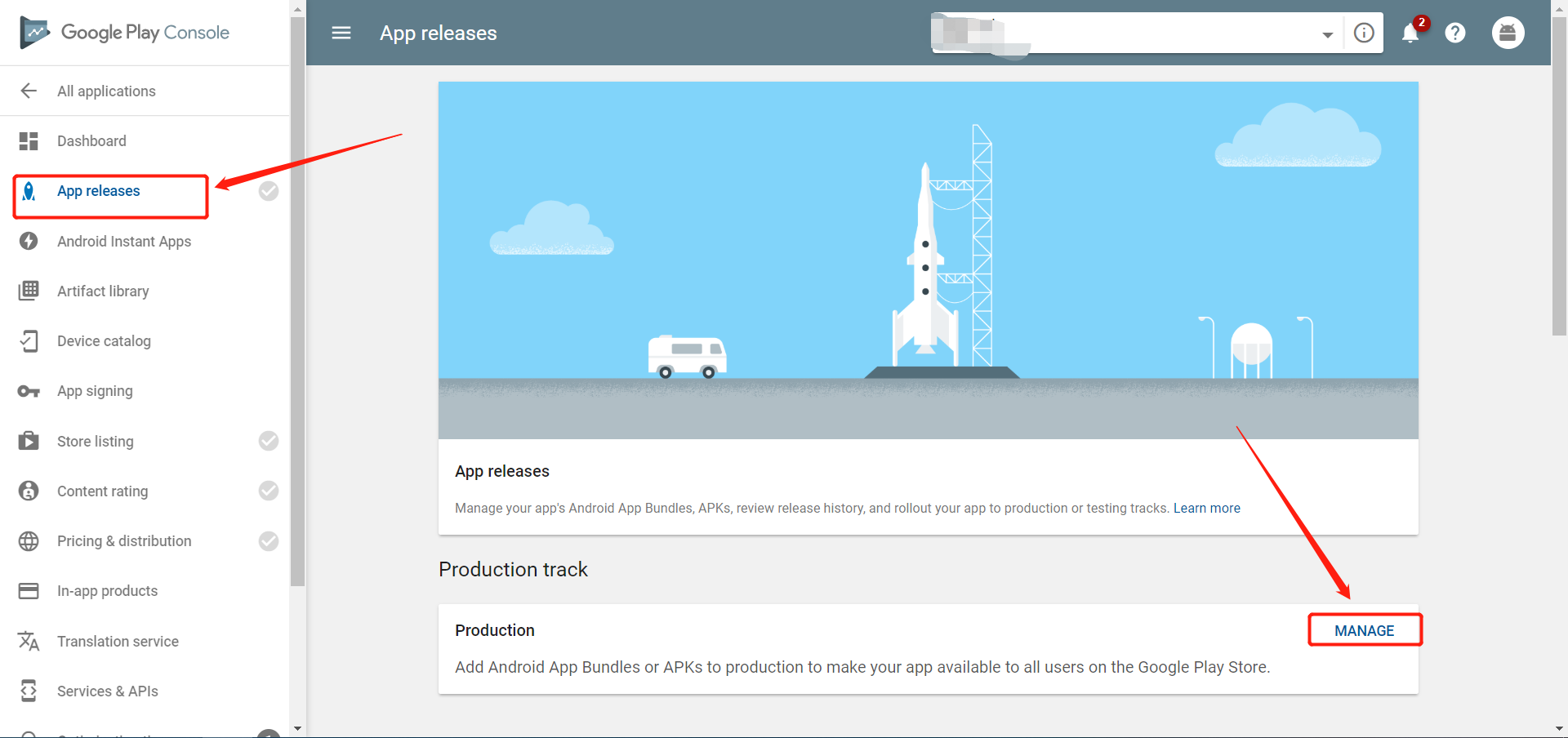
CREATE RELEASE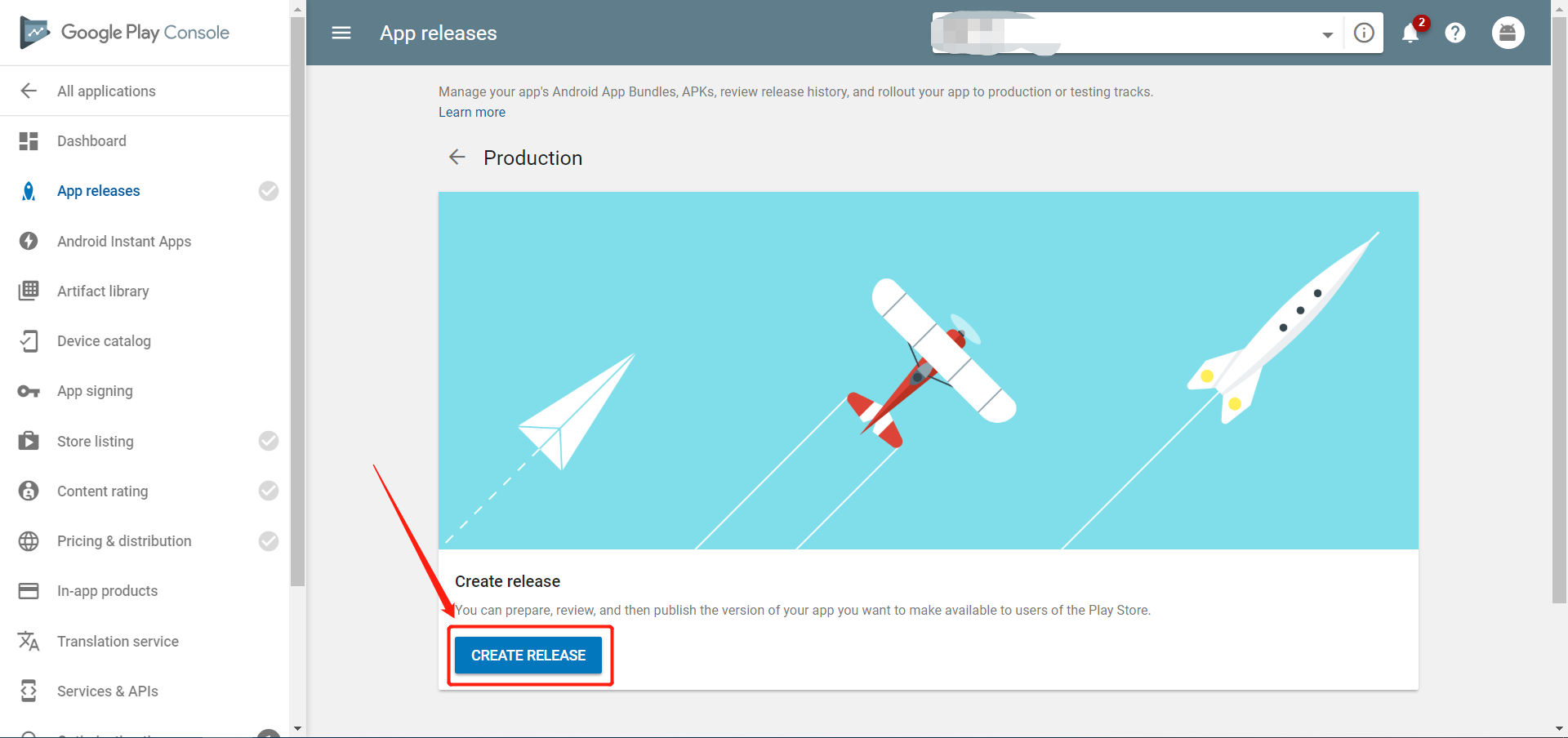
OPT OUT, Please remember, don't open Google's signature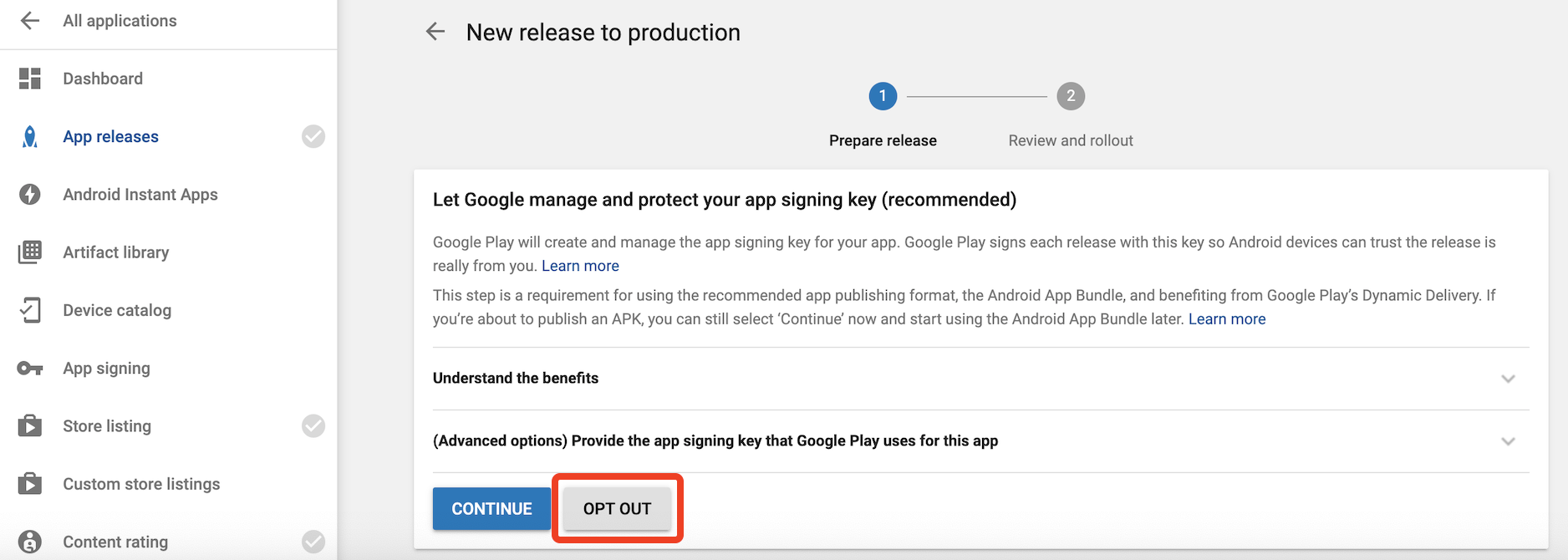
I’M SURE, OPT OUT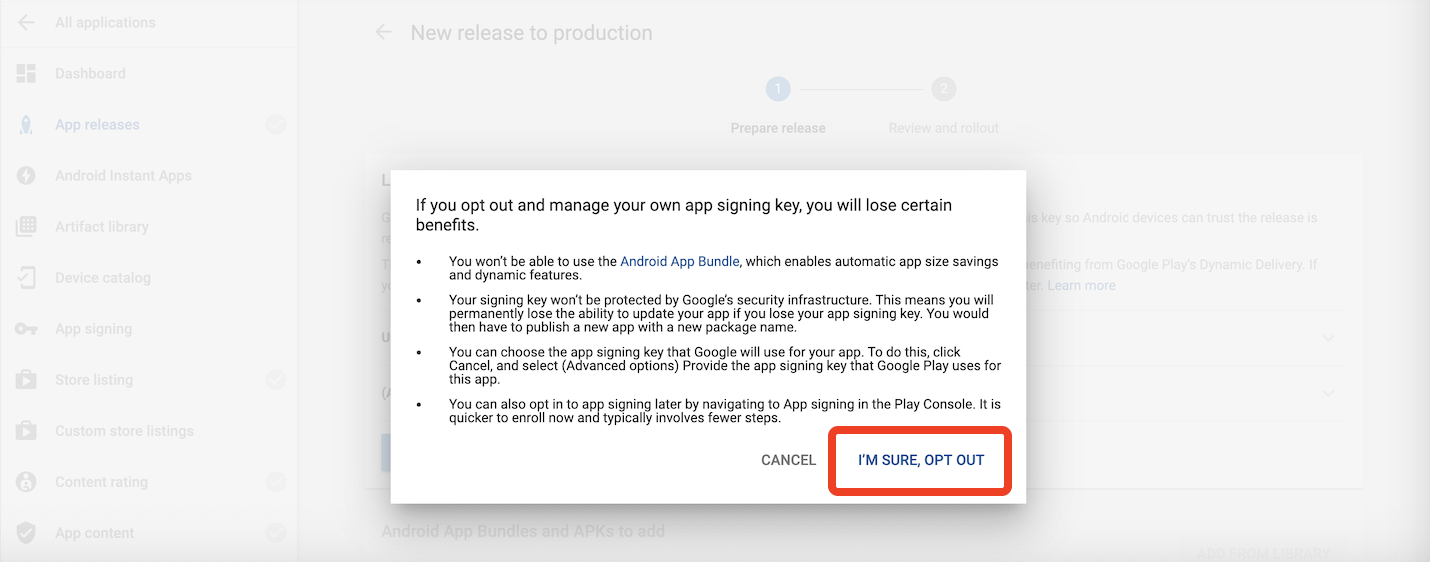
BROWSE FILES. Please upload a hardened APK package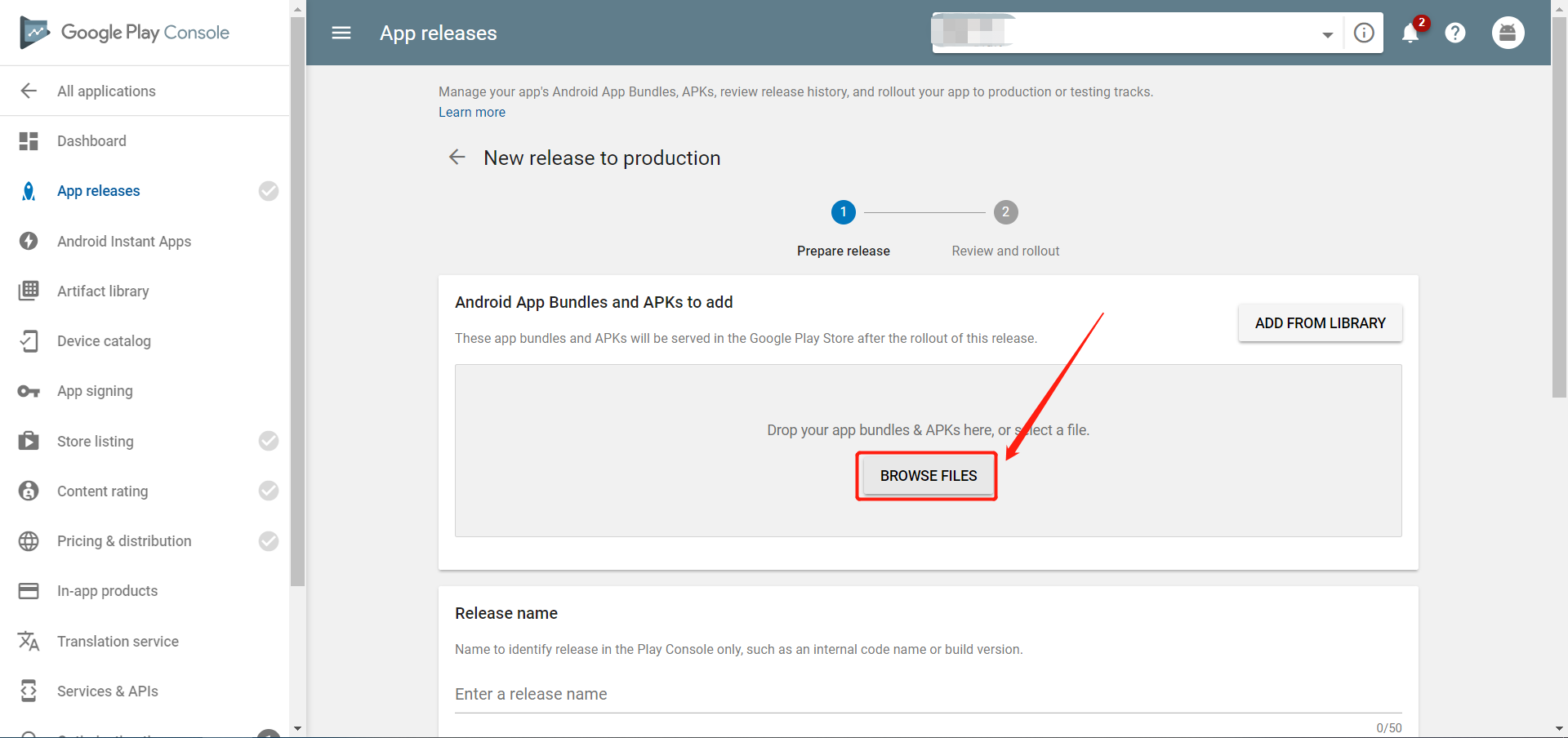
Save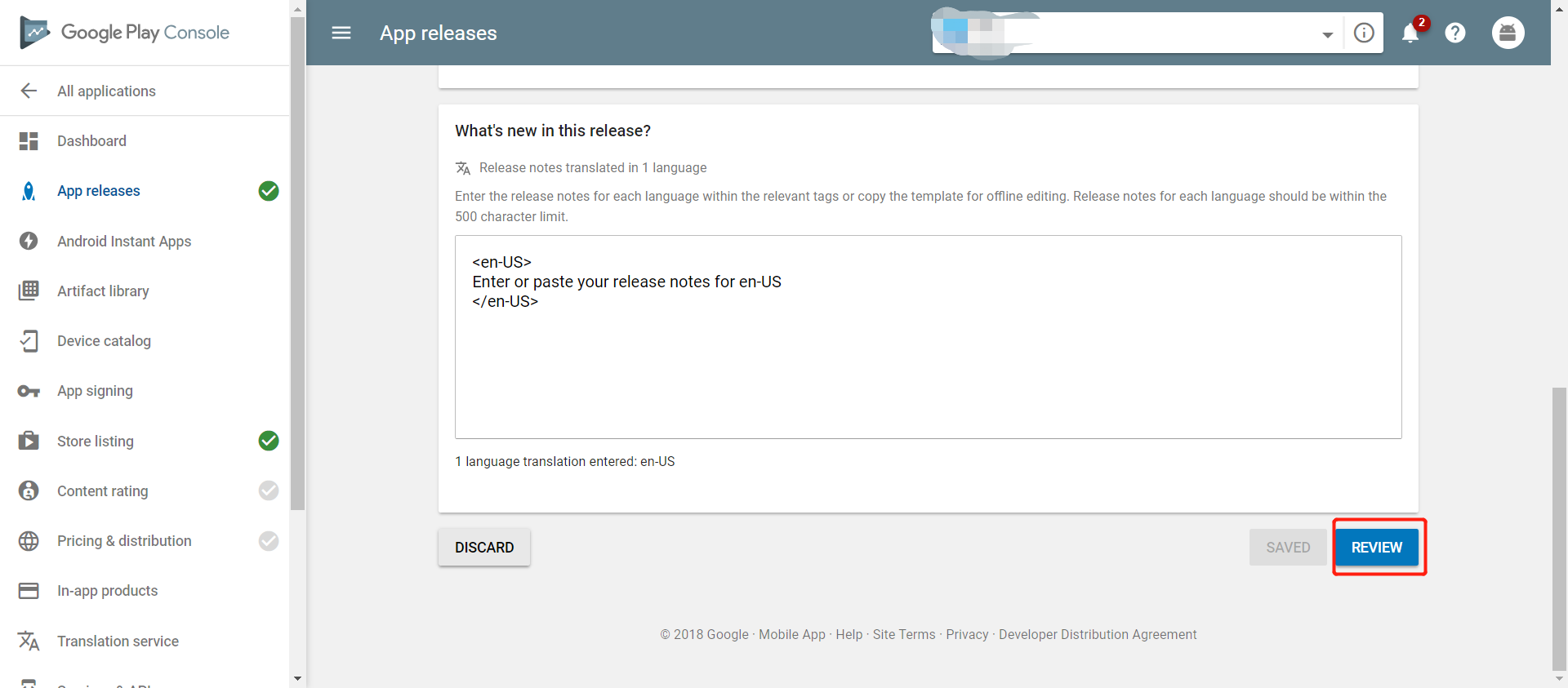
Select Content rating in the left hand navigation bar
CONTINUE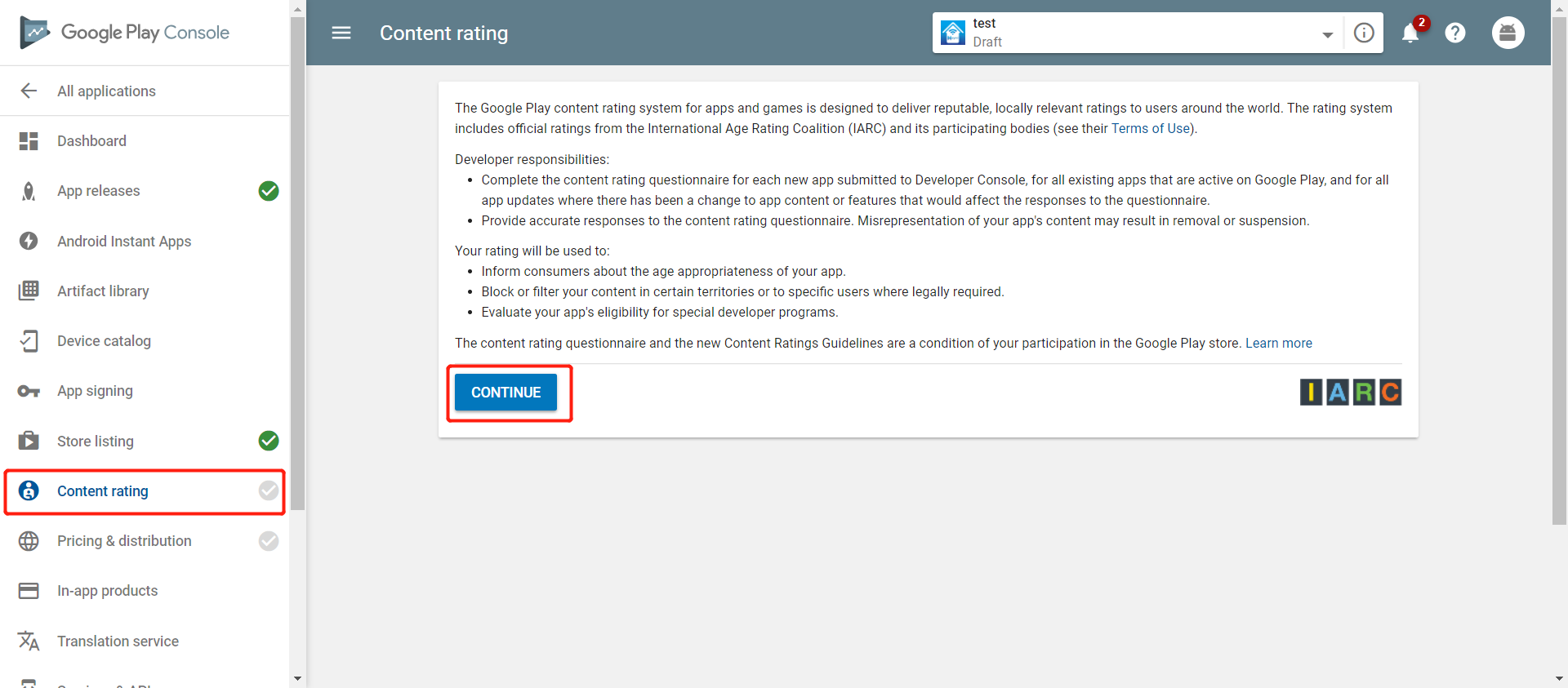
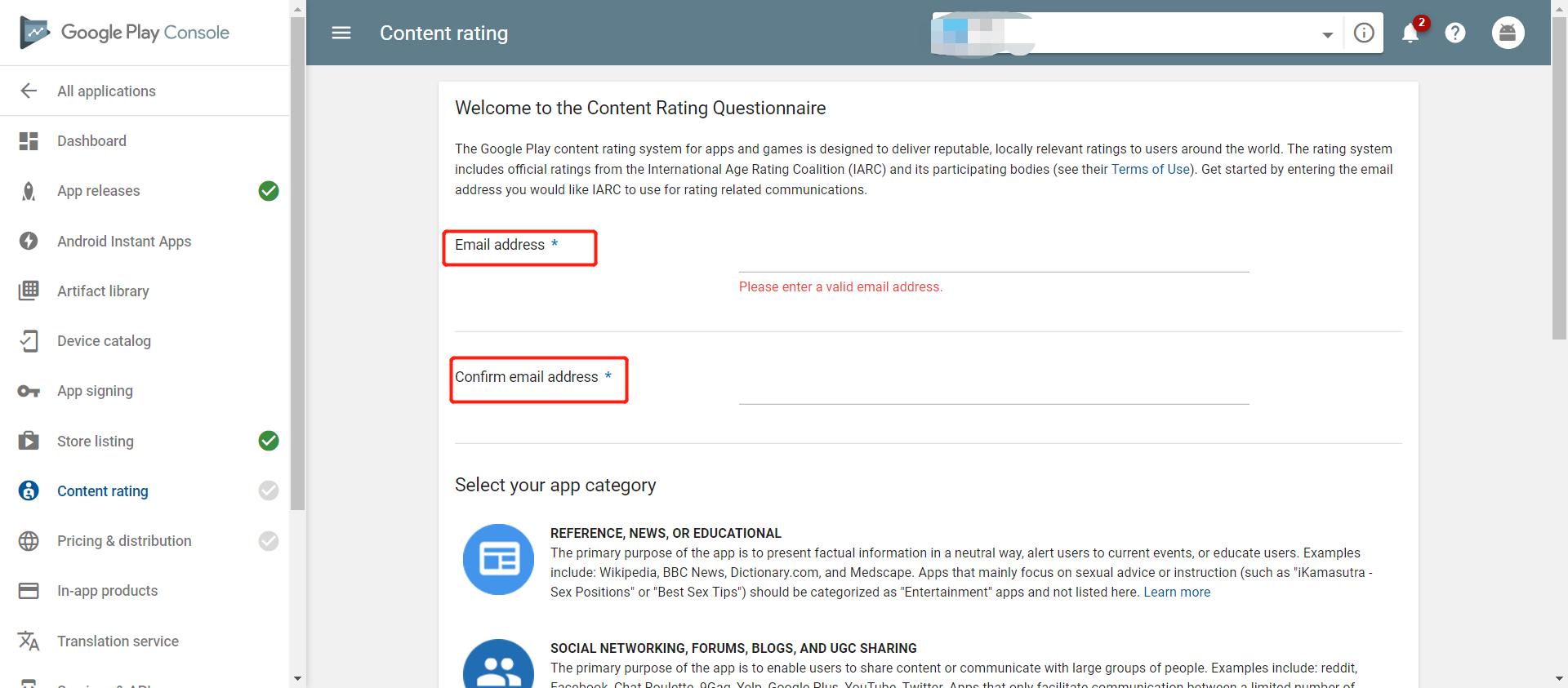
UTILITY, PRODUCTIVIYTY, COMMUNICATINON, OR OTHER category of questionnaires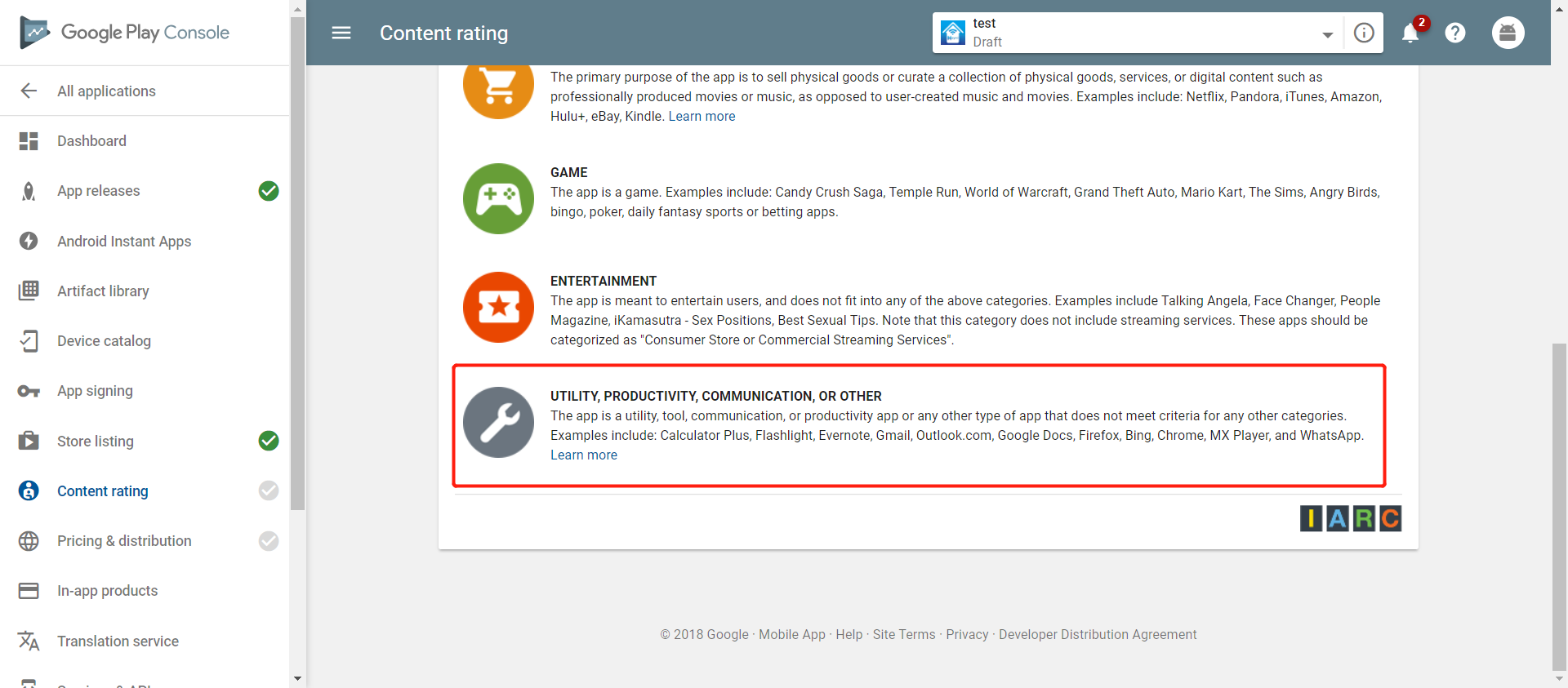
NO for all items. After it is completed, click SAVE QUESTIONNAIRE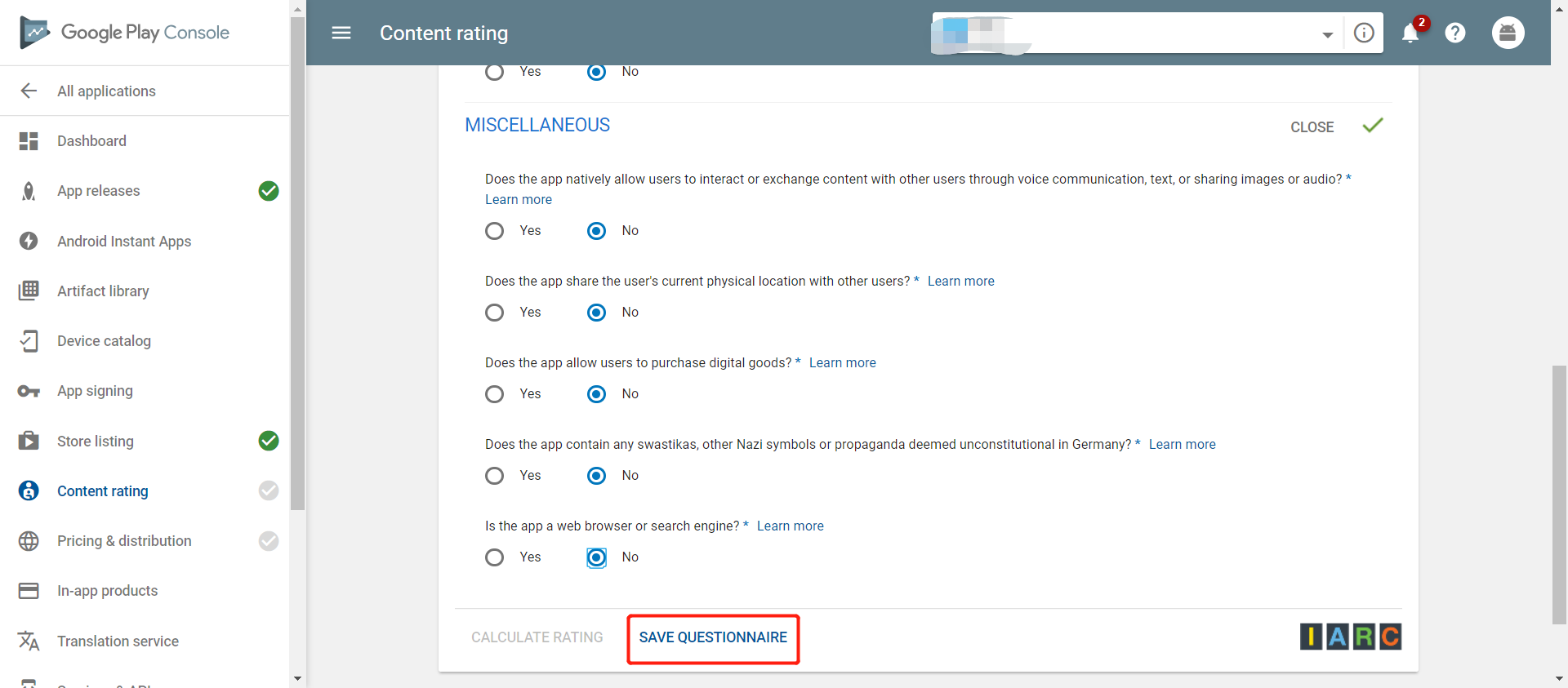
CALCULATE RATING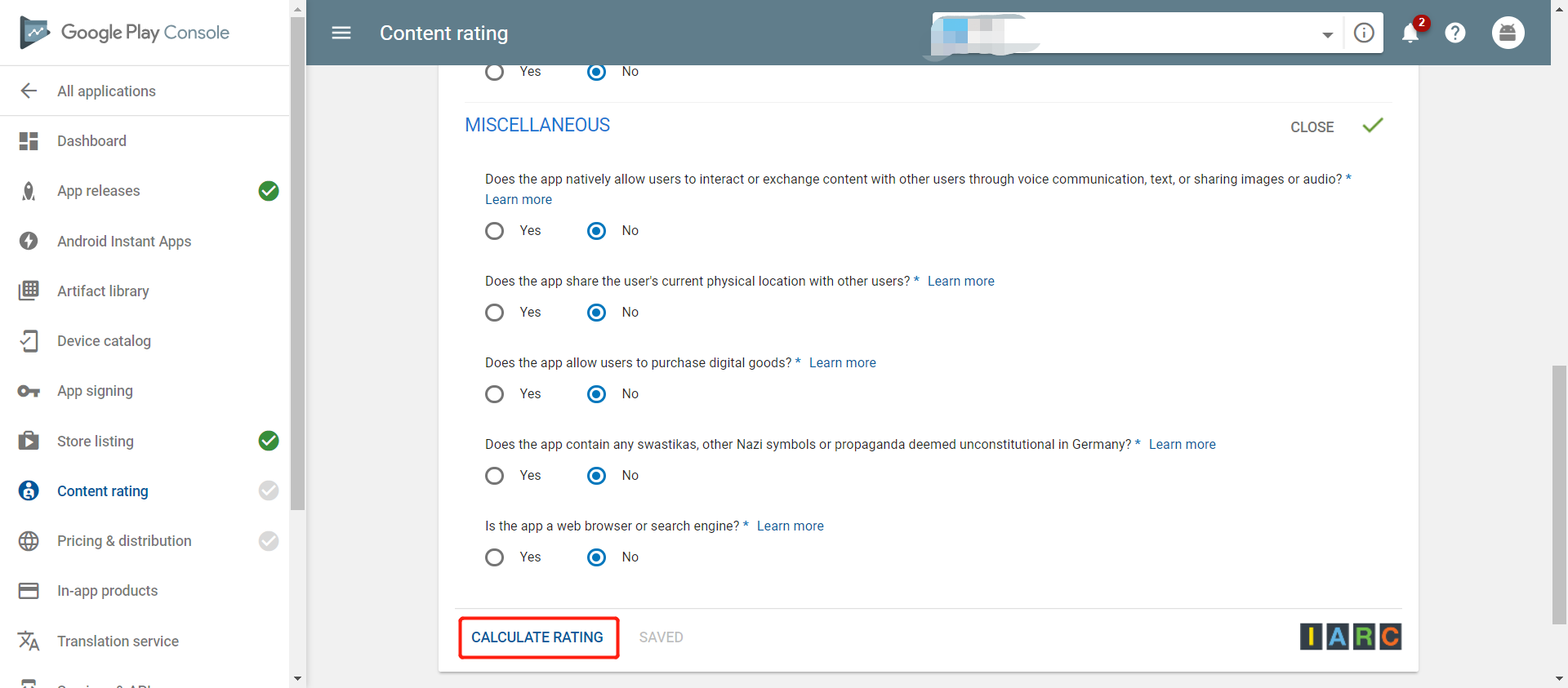
Click AppLY RATING 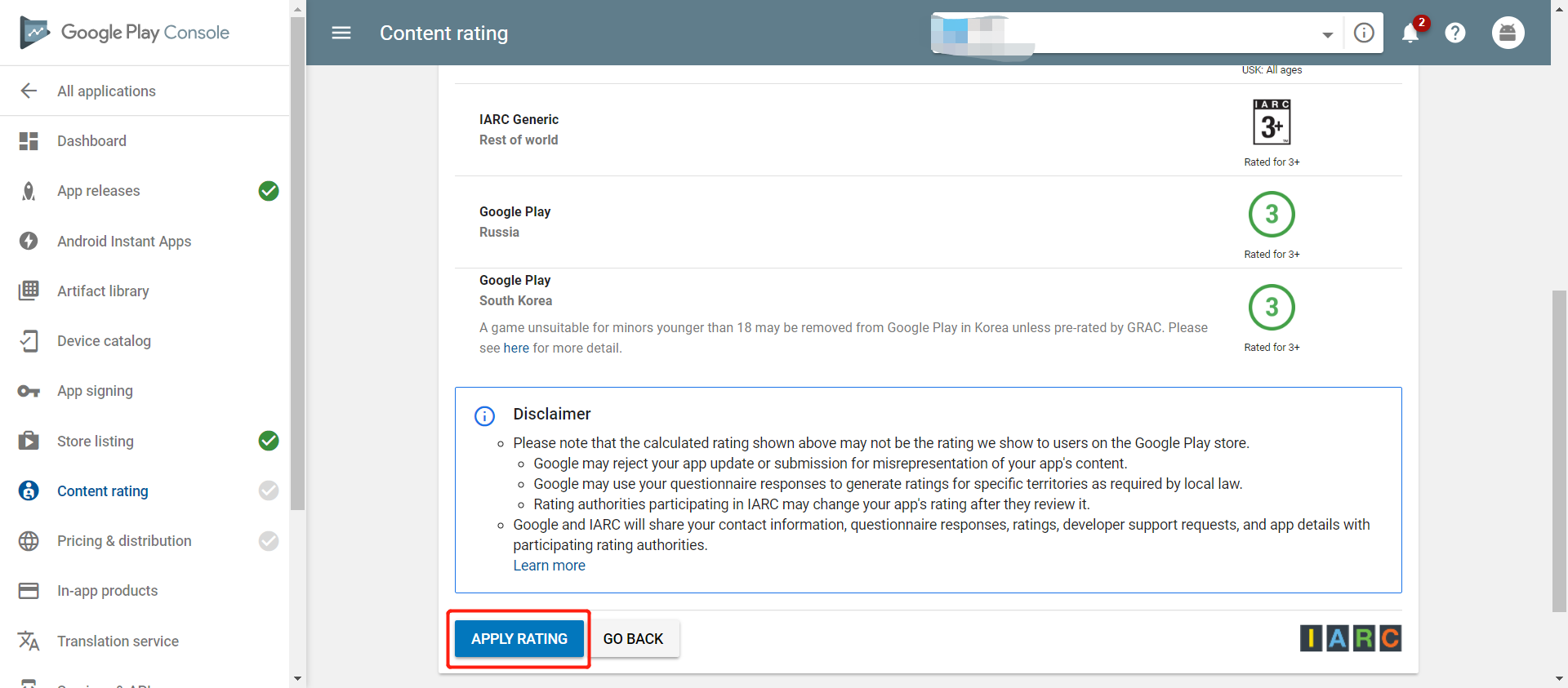
After the content rating has been determined, a content rating certificate will be sent to the email address you entered earlier
Select Set Price and Distribution in the left hand navigation bar
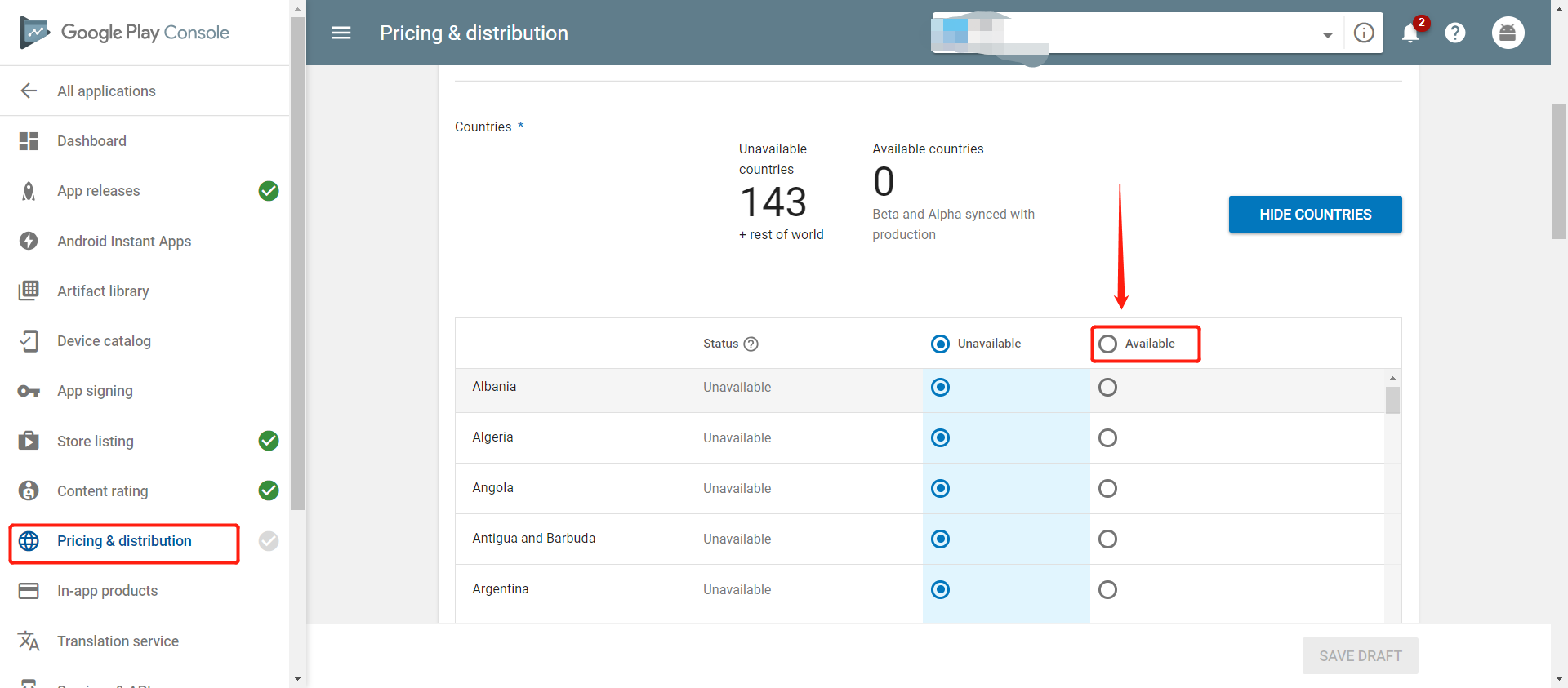
No for the questions marked with asterisks (*) 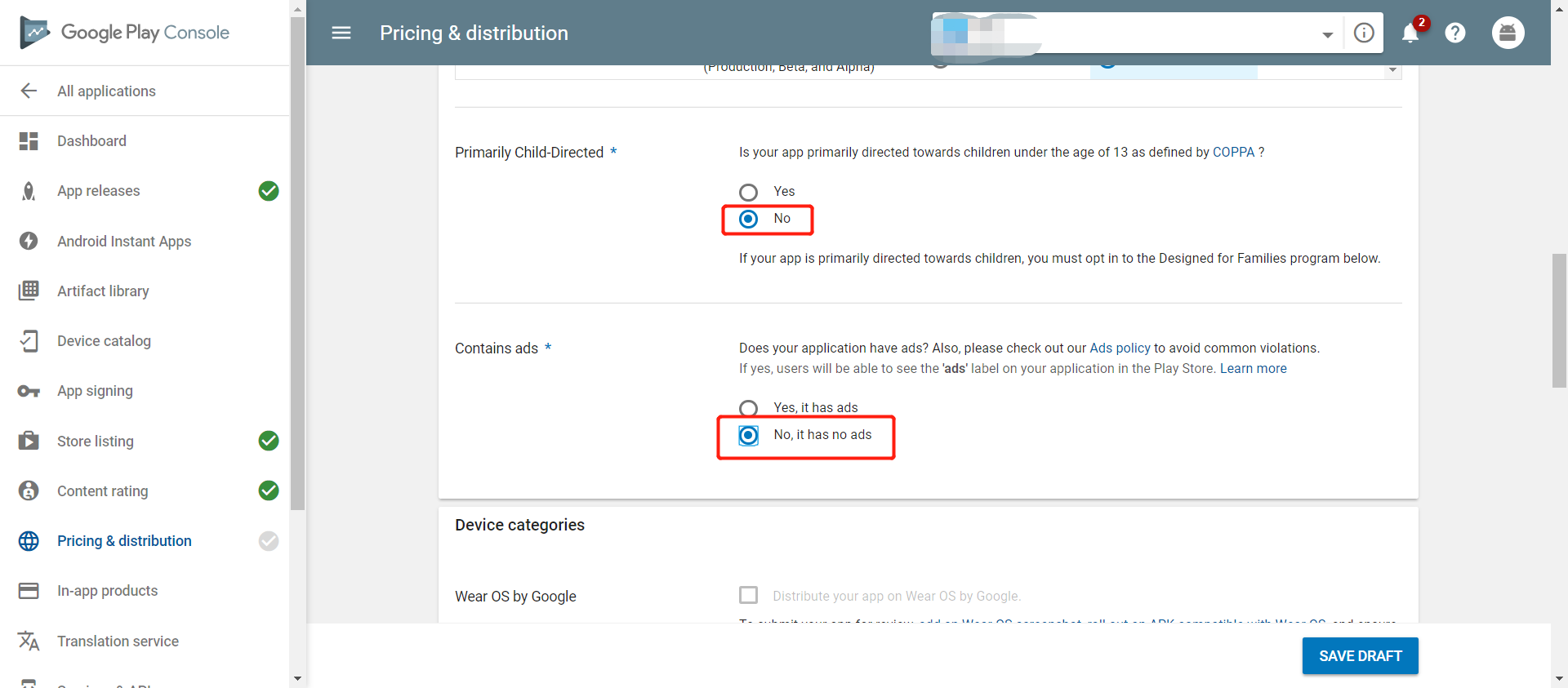
Select App content in the left hand navigation bar
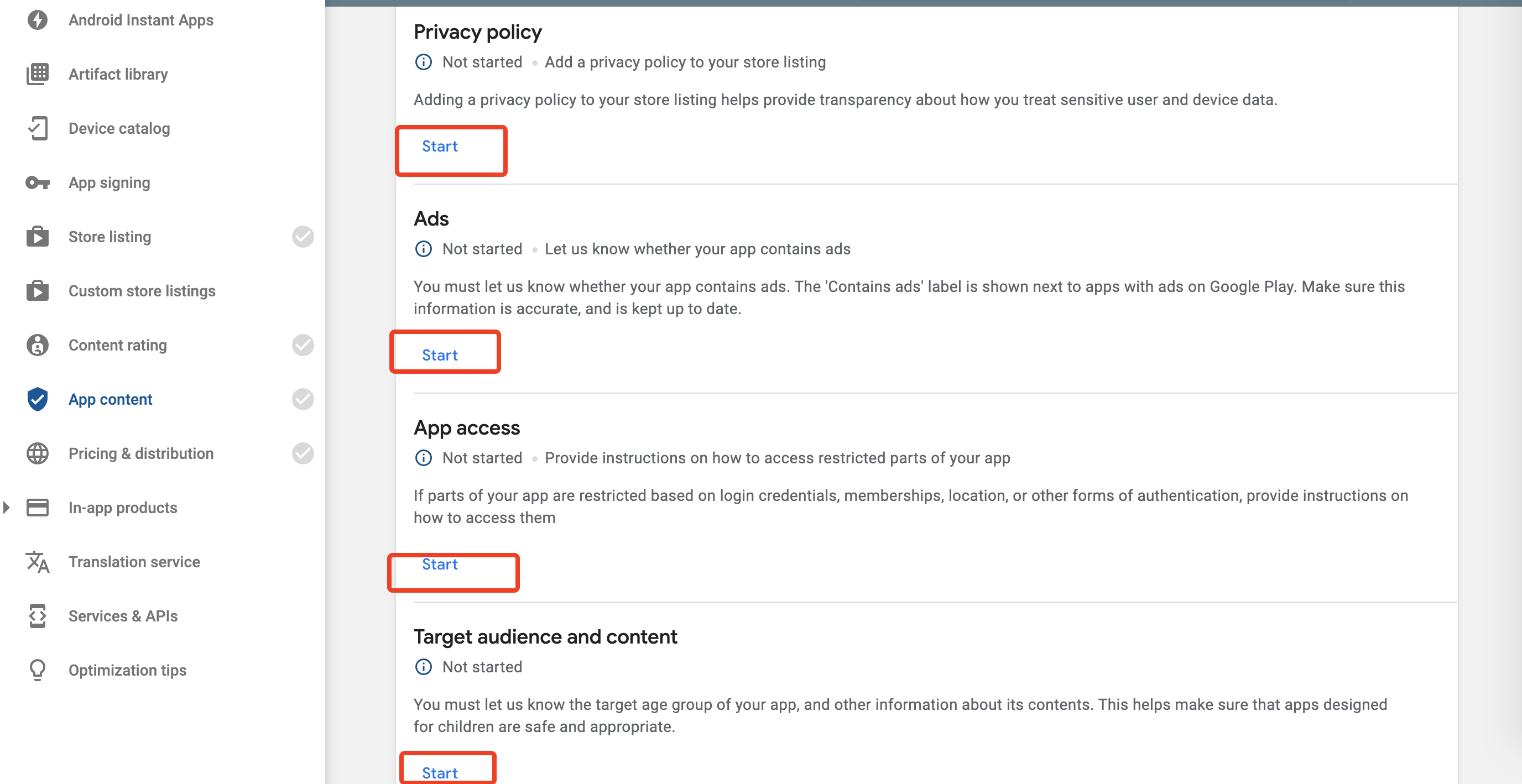
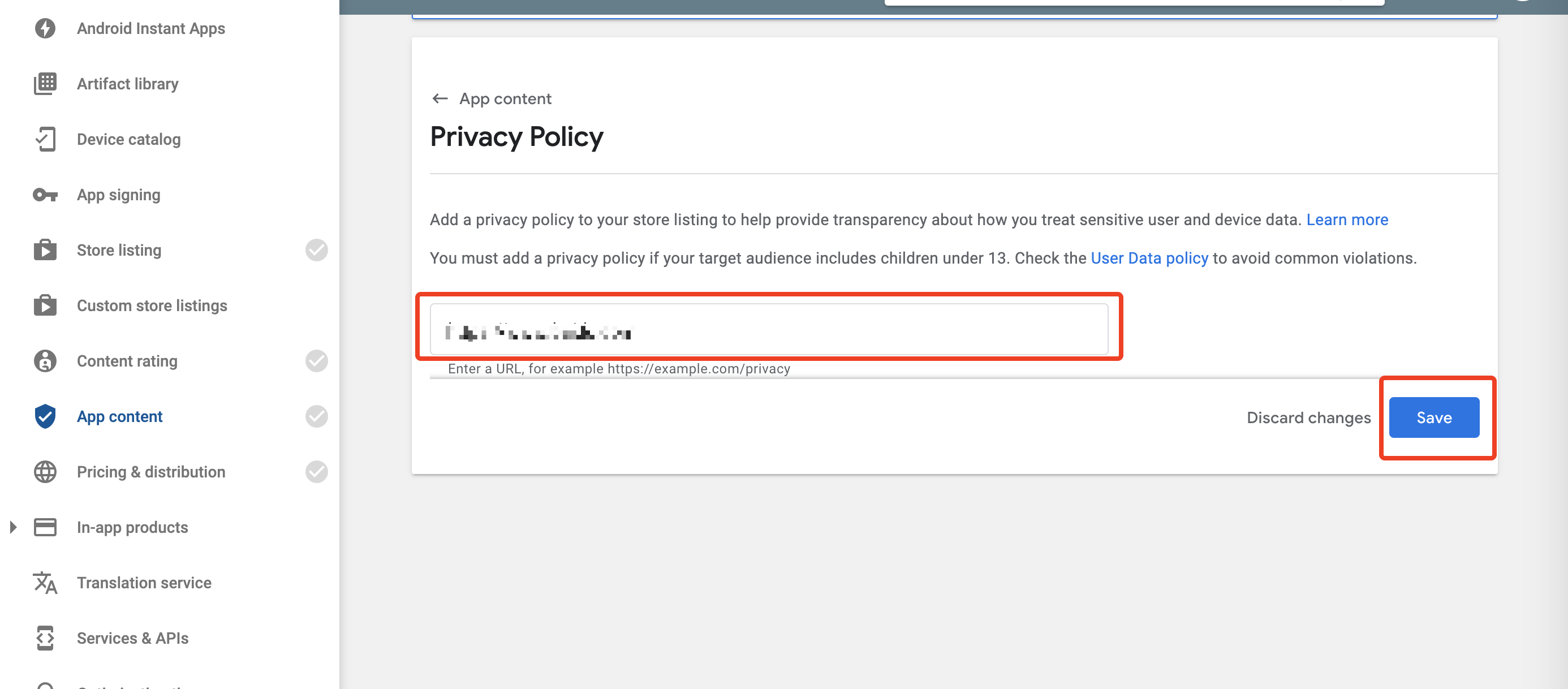
Click Start, enter a url, then click Save. This url must be provided.
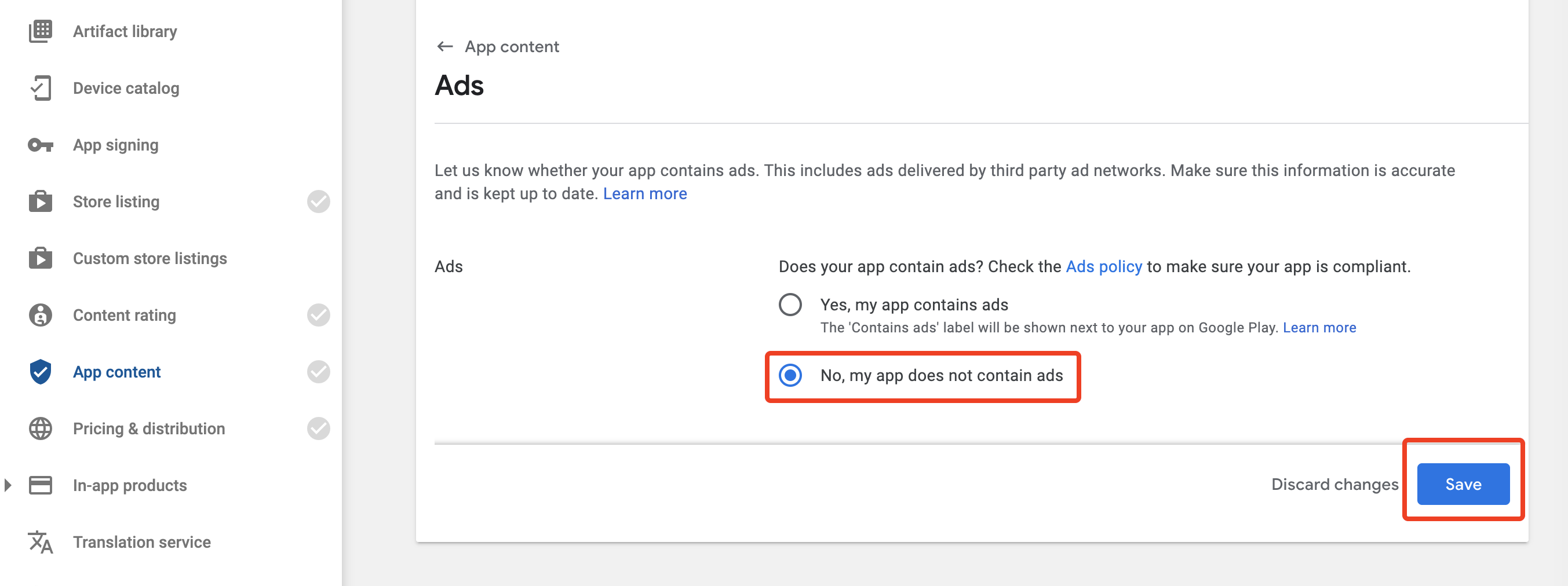
Click Start, select No, then click Save
Start, select All or some functionality is restricted, click Add new instructions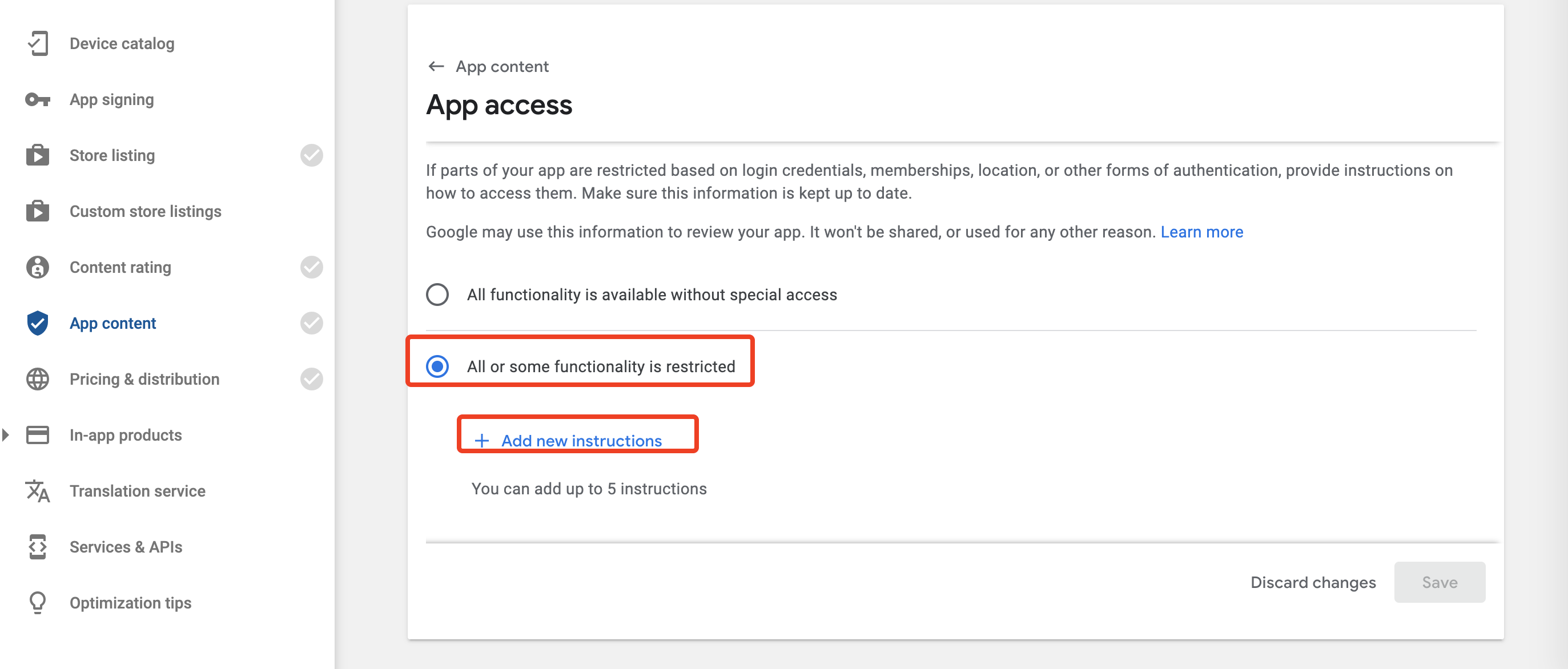
Any other instructions ), then click Apply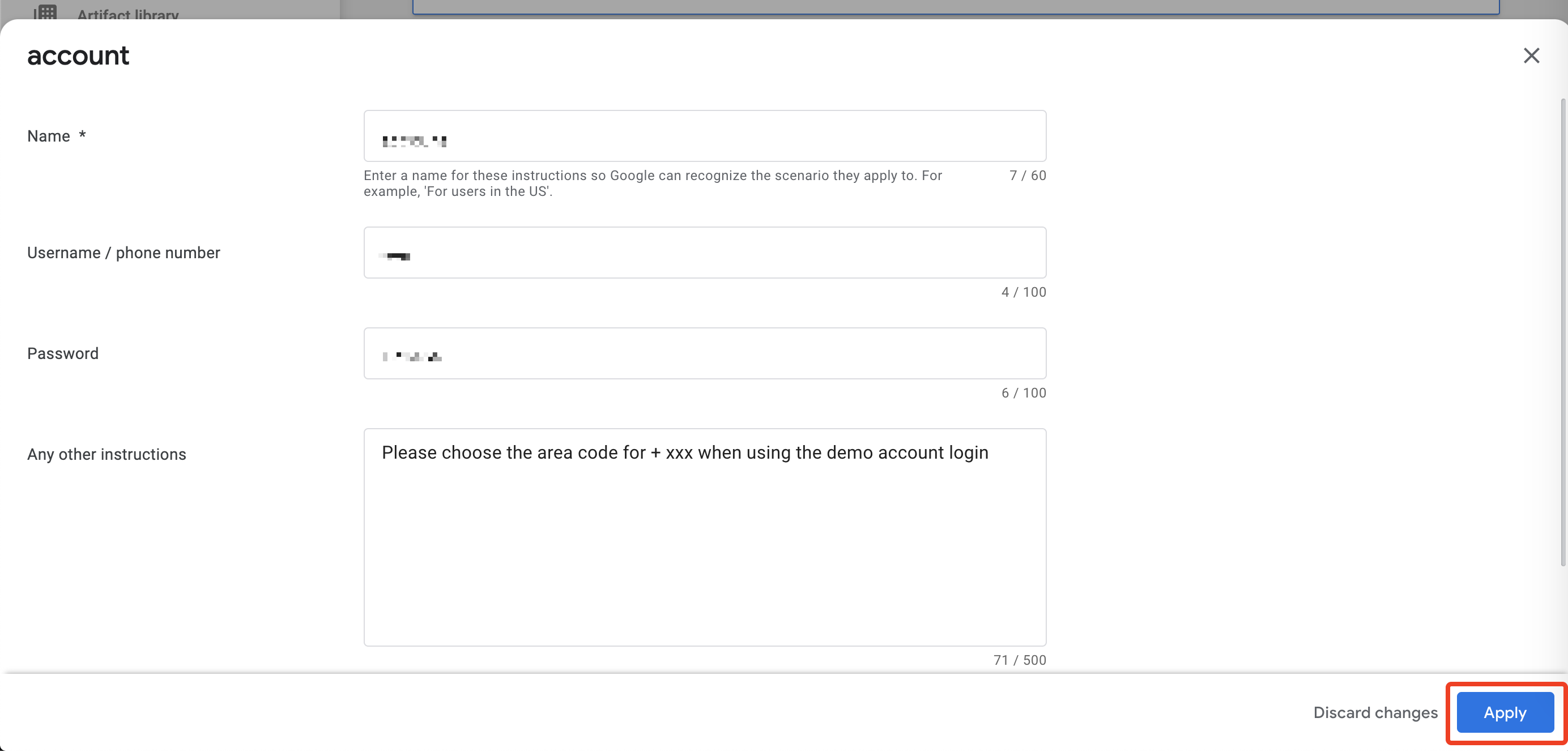
Save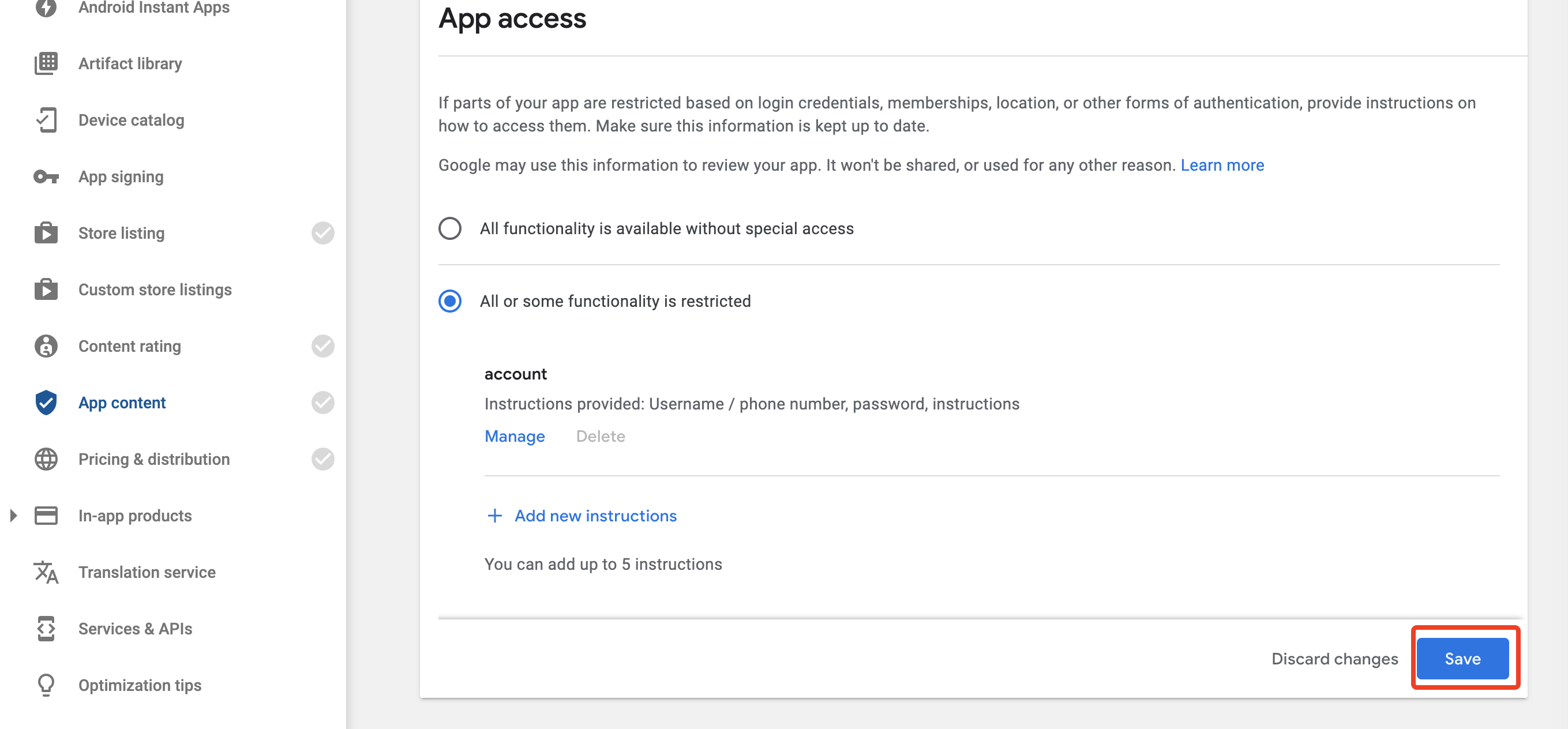
Target age group--18 and over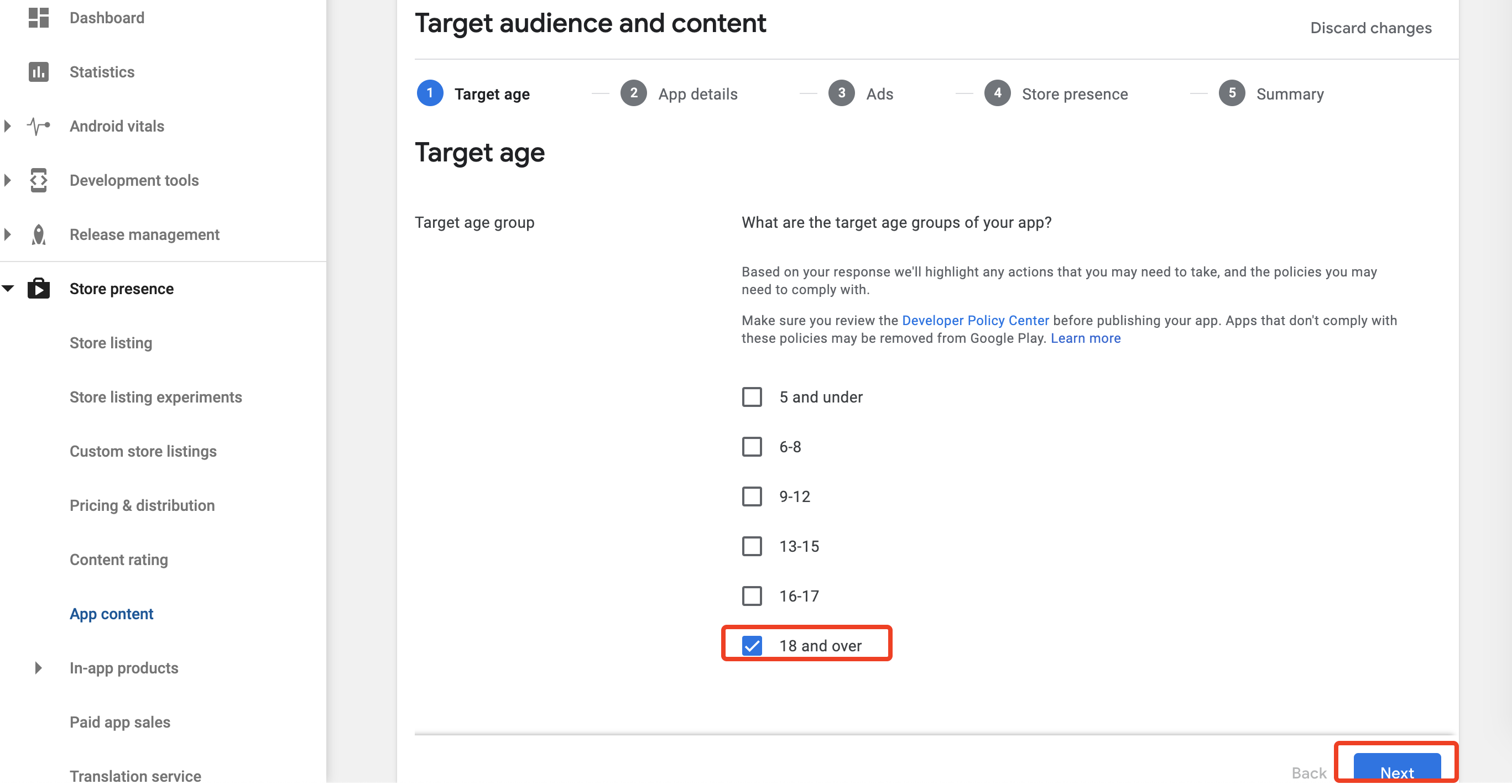
Appeal to children--No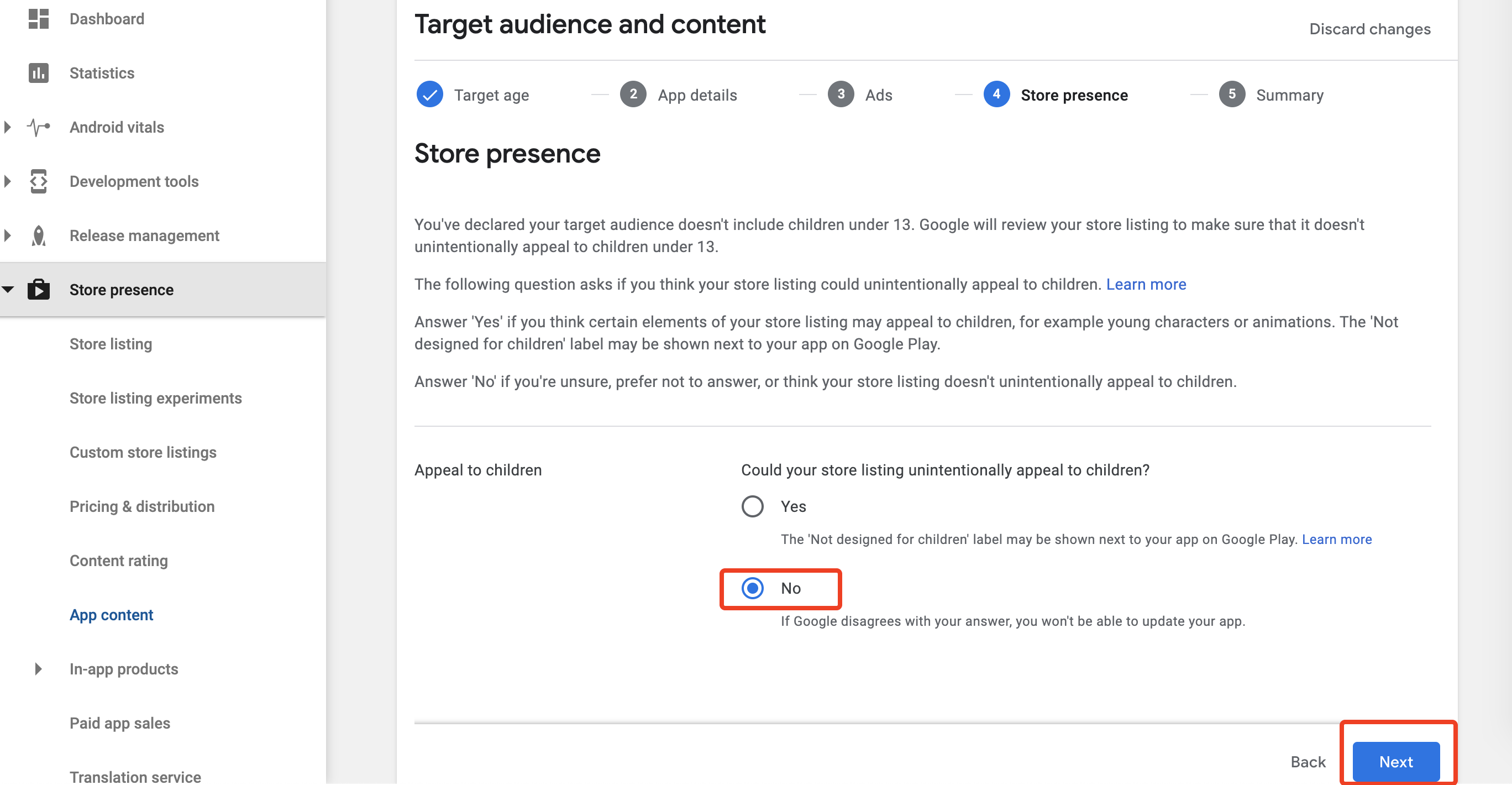
Save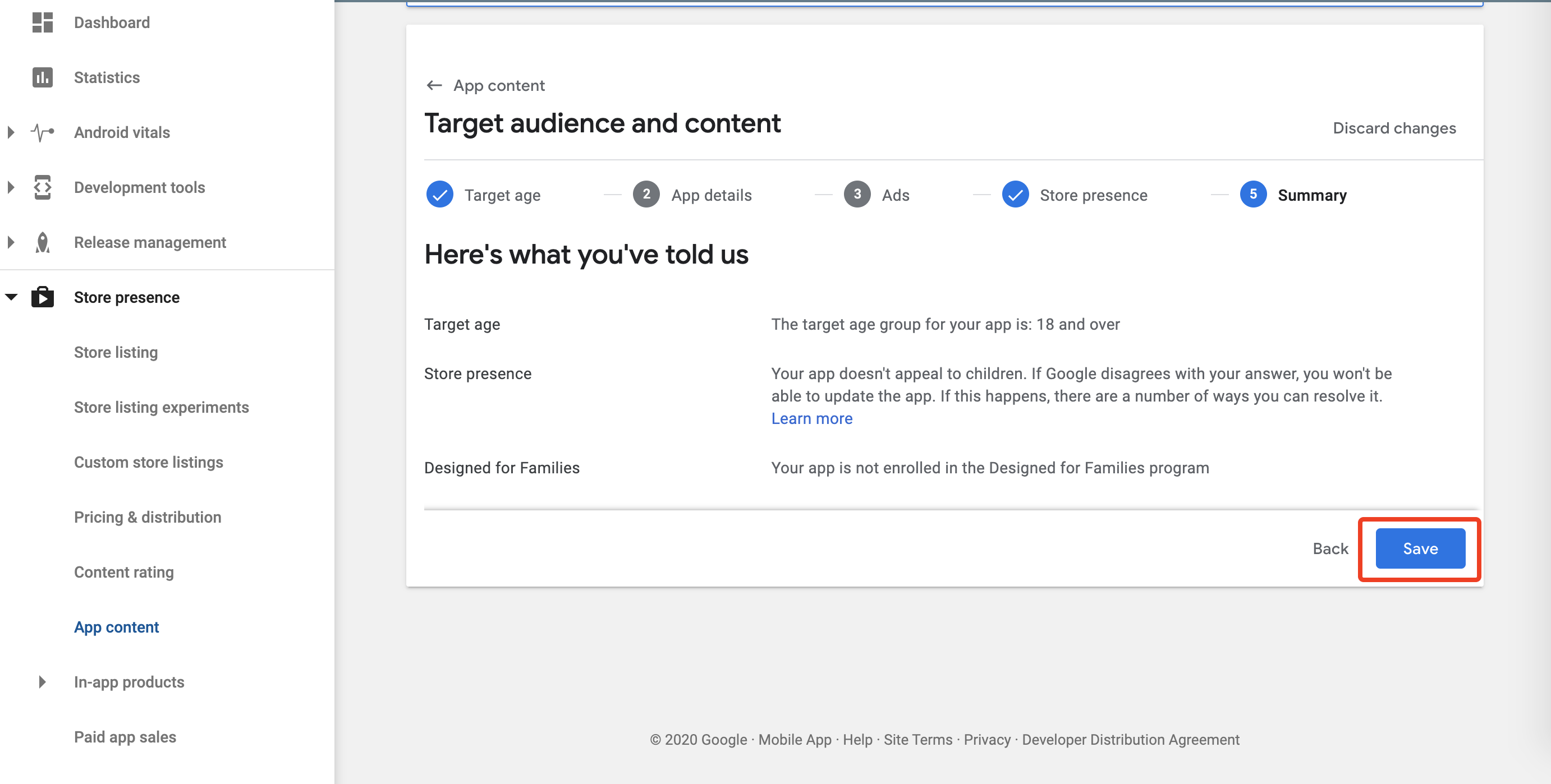
App releases, then click EDIT RELEASE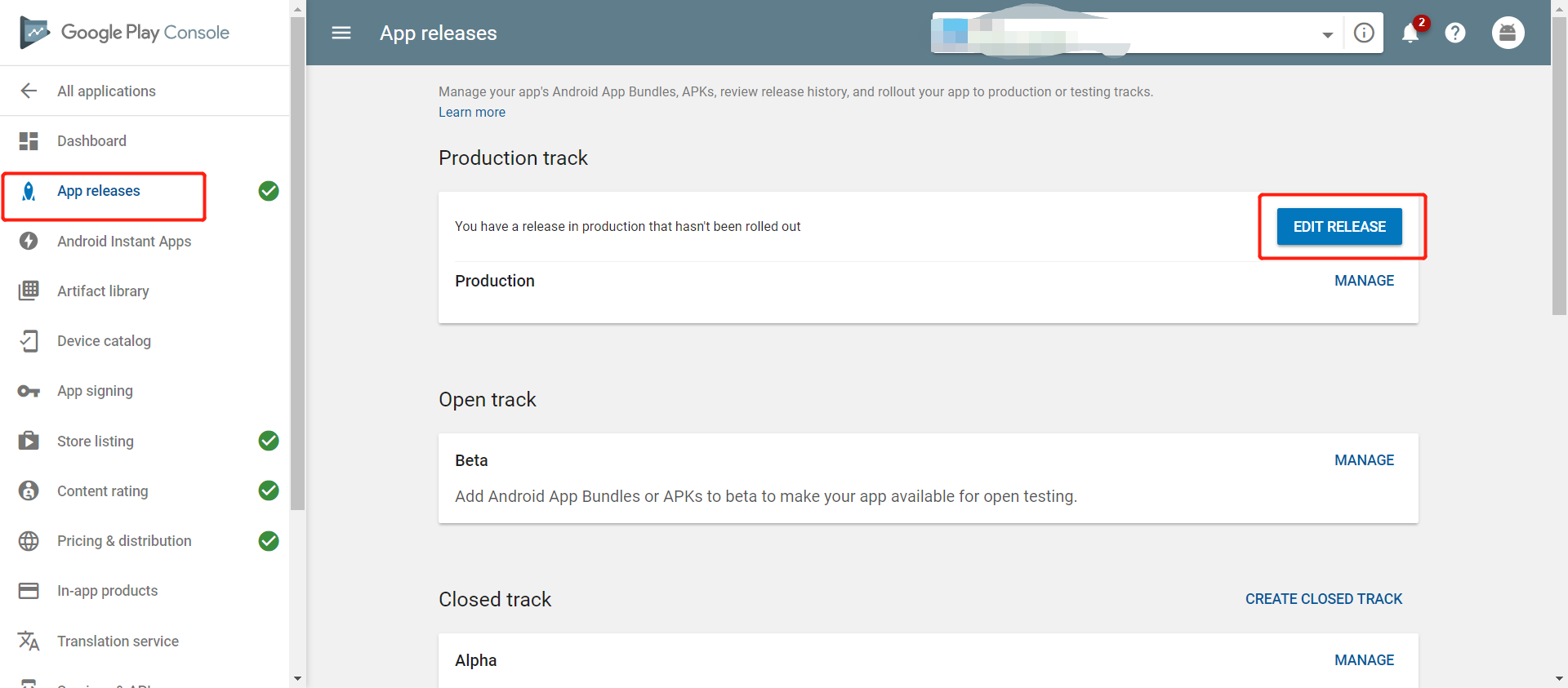
Check the Official Version
Click REVIEW at the right bottom 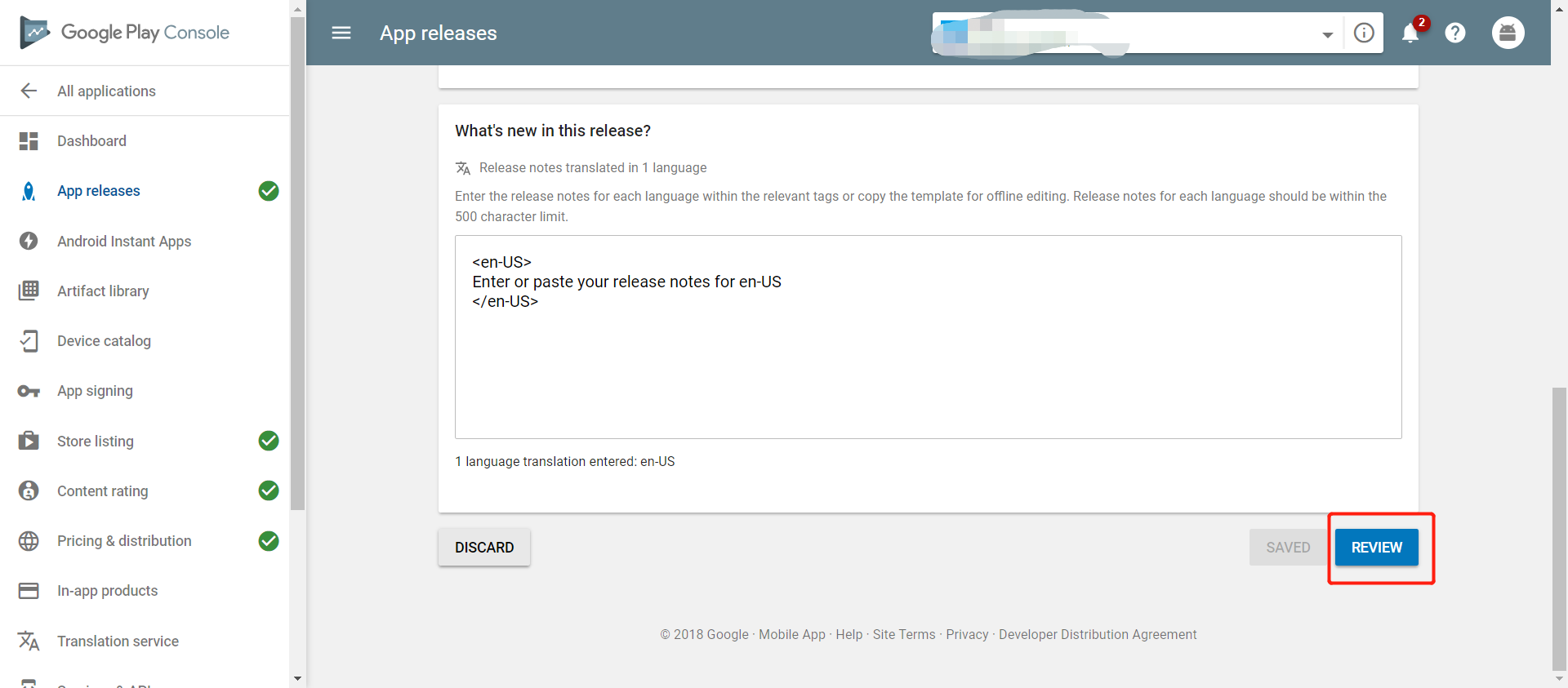
If you see a Warning, please ignore it
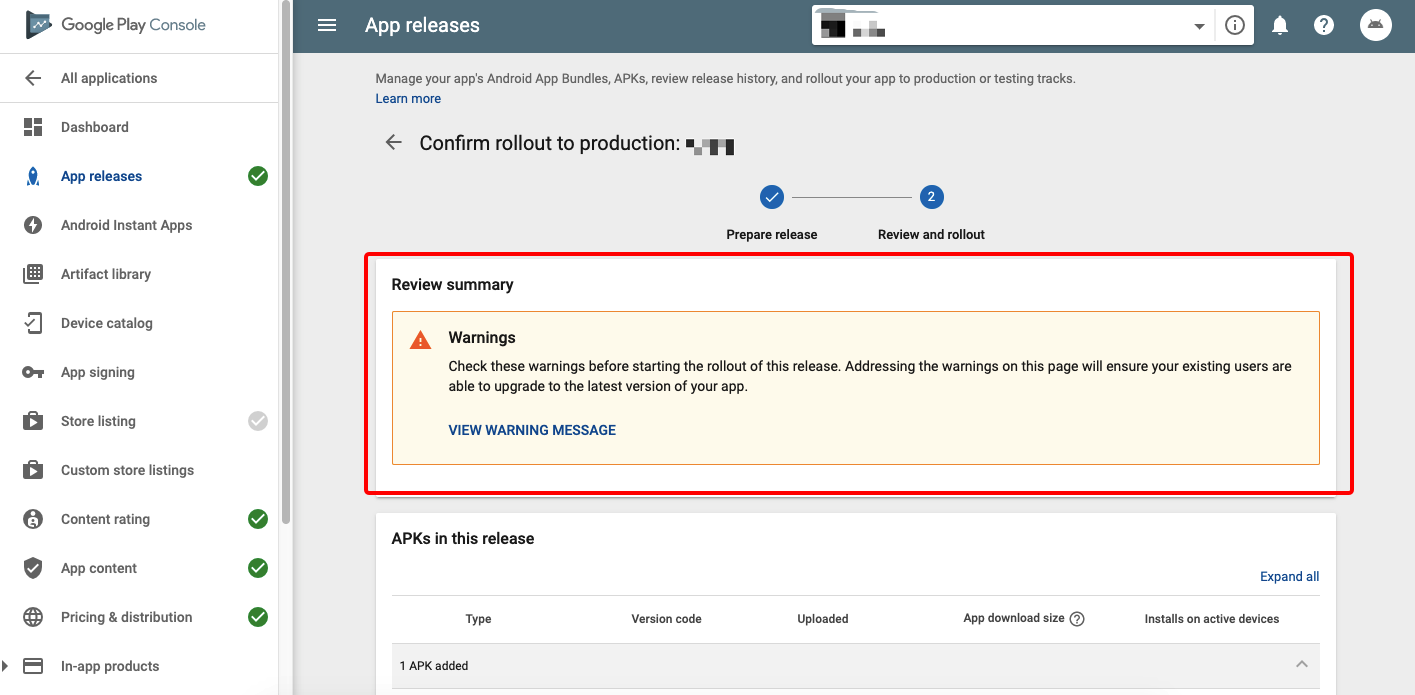
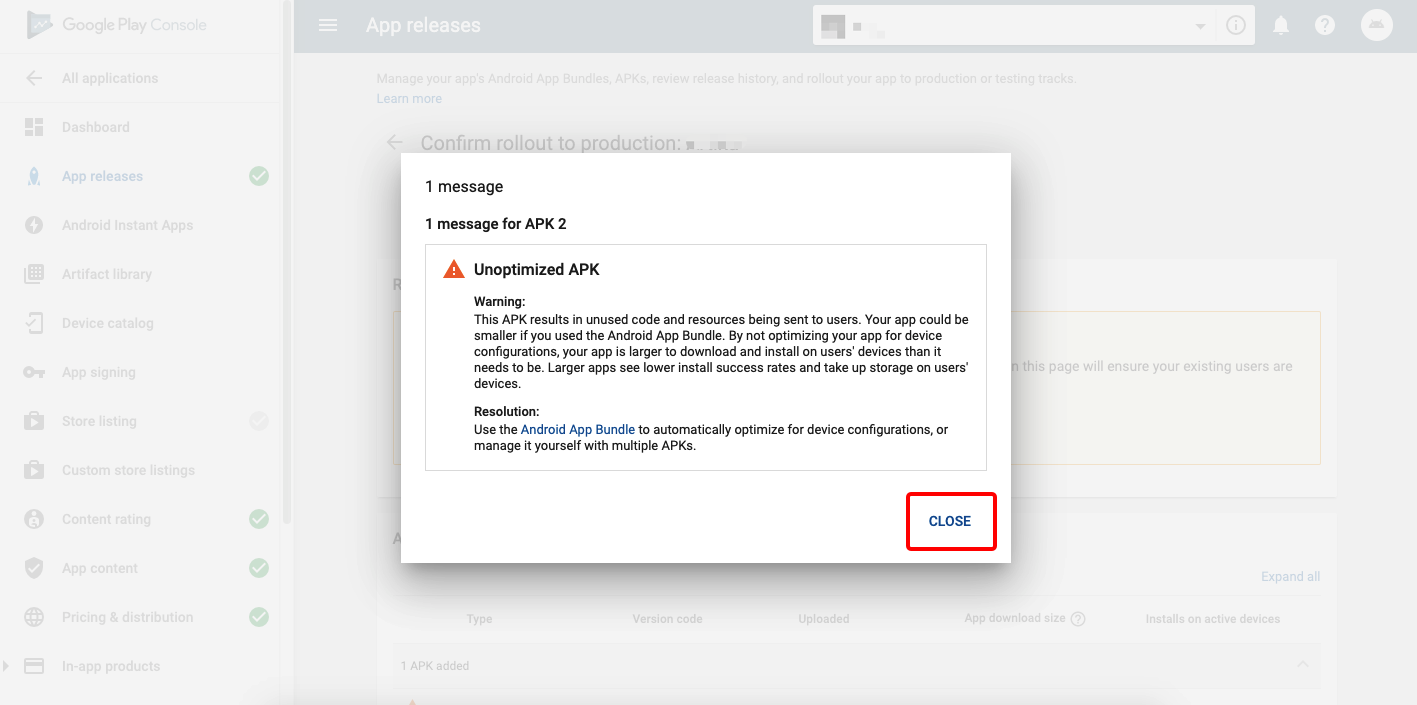
START ROLLOUT TO PRODUCTION at the right bottom, to browse the App information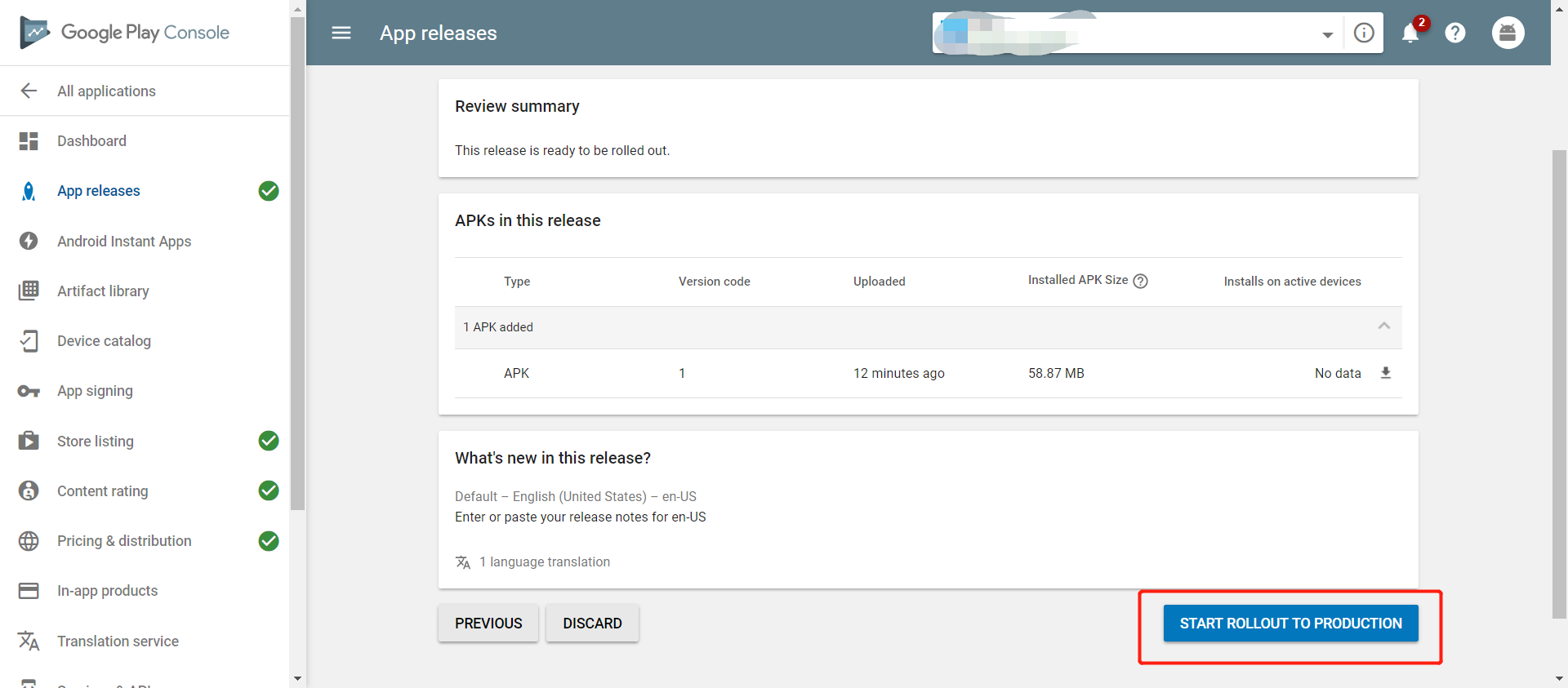
After official listing, Google Play will perform some testing on the App, which normally takes about one day. If the App passes all the tests, it will automatically be listed.
If you run into any difficulty during the App listing process, feel free to contact Tuya staff for help at any time.
Thanks for reading this guide.