This topic describes the solution selection and development process of Tuya module SDK, as a quick start guide for developers. For development tutorials of specific communication protocols, see the development overviews of corresponding solutions.
As one of the most frequently-used solutions to connect to the Tuya Platform, the module SDK solution applies to building smart products that use modules as the master control. Tuya provides hardware modules, apps, and cloud services. You only need to focus on product function R&D and develop smart products efficiently and quickly with Tuya IoTOS SDK, all-in-one apps, and panels.
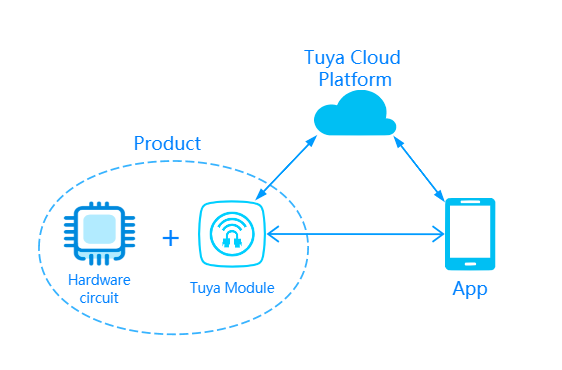
The communication diagram of module SDK development is as follows.
App solution: All-in-one apps or OEM apps are popular choices.
All-in-one apps: You can download and use them for free, including the Tuya Smart app and the Smart Life app. You can download them directly from the App Store, Google Play, or other major app stores.
OEM app: If you want a branded app, Tuya also provides OEM app services. You can create an OEM app online. For more information, see OEM App Auto Building.
Cloud service solution
Hardware solution: You select the suitable communication modes and modules.
Currently, the available communication modes for SDK development include:
Before connection, you select the module communication mode and module model as needed. The common modules will be recommended after the product is created on the IoT Console.
You can download the module SDK development documents when creating the product.
Log in to IoT Console.
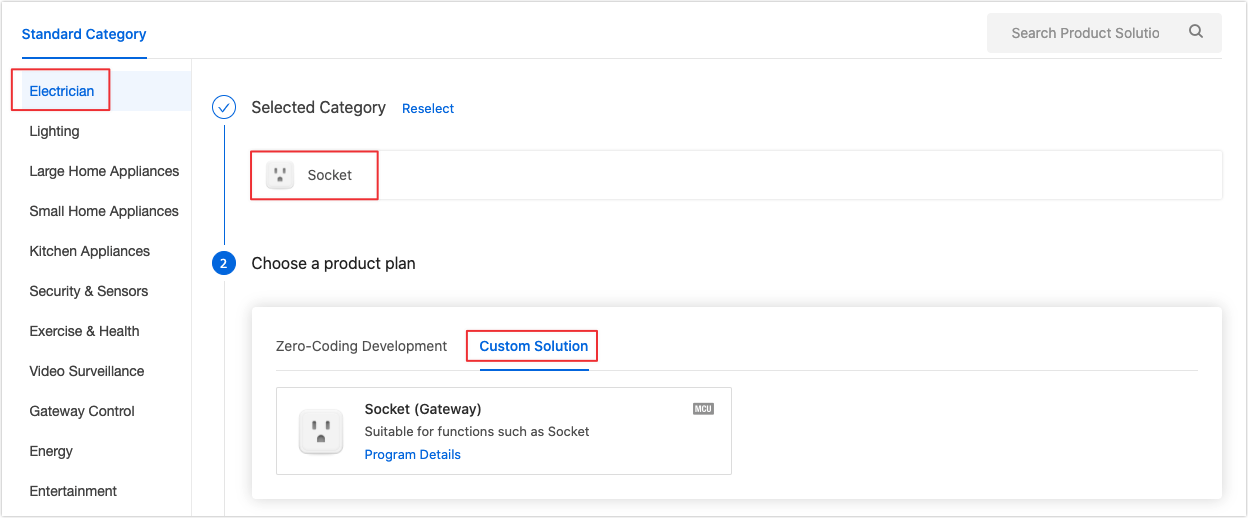
Refer to Create Products and create a product that adopts the custom solution.
Note: For products that use module SDK connection, you must select the custom solution. The communication mode determines the protocol and module recommendation.
Refer to Standard Functions and Custom Functions and select functions for the product.
A data point (DP) is an abstract representation of a product function. Tuya provides all products with standard DPs. You can select DPs according to your actual requirements.

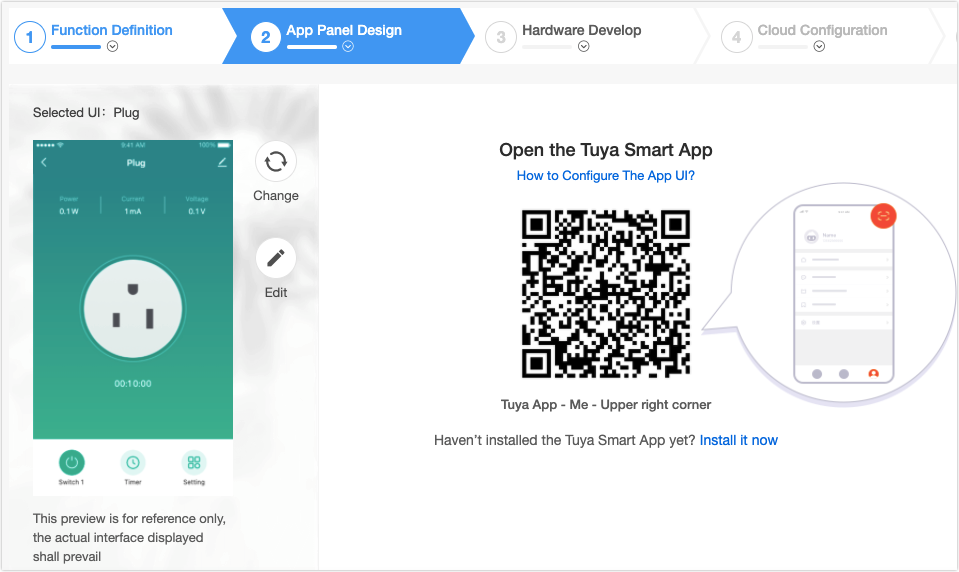
Refer to Design App UI and configure the control panel.
In an app, the control interface of a device is called a panel. Tuya provides nearly 100 types of free standard panels for you. The standard panels can be customized. For more information about app panel configuration, see Design App UI. If you want to customize the panel, Tuya provides a custom panel development service.
Download development documents.
IoT Console recommends modules to you according to your product and communication solution. You can place an order online. You can also select other modules as needed. For the module datasheet, see TYWE1S Module Datasheet.
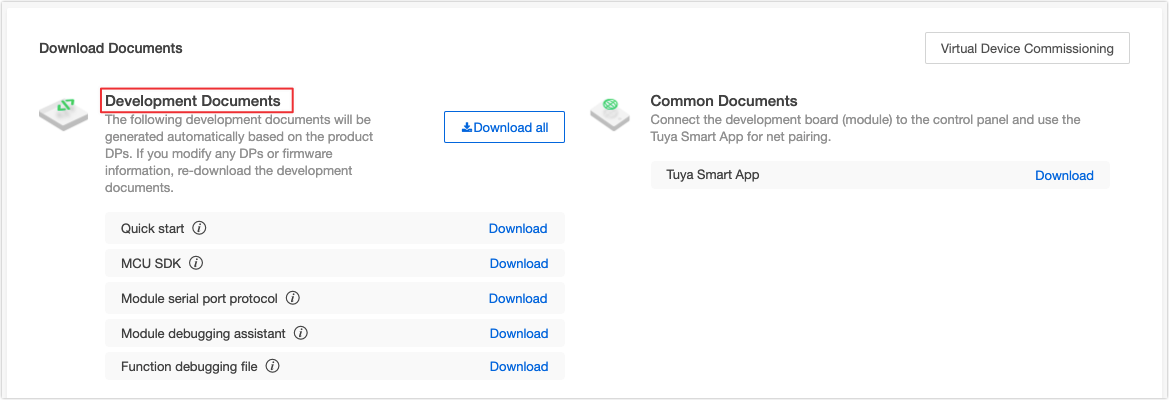
After the product is created, you can purchase the module sample, download development documents in the IoT Console, and start development debugging. For different protocols, you can view the following tutorials according to the protocol in the downloaded development documents:
After receiving the module sample, you can build the minimum module system for software debugging. For more information, see the following documentation:
For more information about software code development, see the demo and documentation in the SDK:
During joint debugging of functions, you need to go to the Operation center in the IoT Console to check the data. For more information, see Operations Guide.
Tuya provides online support services. If documentation fails to solve your question, raise your question online. Our professional technical team will be ready to help you. For more information about the support center, see Tutorial for Tuya Support Center.