The Tuya Cloud provides real-time video access of RTSP protocol for IoT devices that are capable of transmitting audios and videos.
Function description
Get real-time video links of RTSP protocol.
API address
POST /v1.0/users/{uid}/devices/{device_id}/stream/actions/allocate
Request parameter
| Parameter | Type | Parameter | Description | Required |
|---|---|---|---|---|
| type | String | BODY | Real-time video protocol. The fixed value of RTSP protocol is rtsp |
Yes |
Response parameter
| Parameter | Type | Description |
|---|---|---|
| result | Url |
Decryption key to the cloud storage video |
| success | Boolean | Status of the response result |
| t | Long | The 10-bit timestamp of the response result, accurate to a millisecond. |
Url| Parameter | Type | Description |
|---|---|---|
| url | String | Real-time video address |
Request example
{
    "type": "rtsp"
}
Response example
{
    "result": {
        "url": "rtsps://echo:NkAkw6jfuzp3Y1SEoV0DFIfa9iQ34XlL@tx-wework9.tuyacn.com:443/v1/6cf2b6d2b09a2f8597gudm/btlfqu1v5aohp6rpvfrg1SIblOJ5hJuP?signInfo=uI7ZQo3sXG0ocpwqx4WV921iGWJDJJ%2FU9P%2Fy%2FgfE2pBoBh5XeVYGDN5hdRJE3zOS6rNKDK7%2BWkcfUgtcxI0VQf6aVR%2BzrMK%2B9Mo1r7HuCXgaROjJcXyqbMCK60Uh9cJfmRgLqmd0tzYAftWo%2FHEpcOmuZvUxQzHTSpKqdnIjNC****"
    },
    "success": true,
    "t": 1600847224401
}
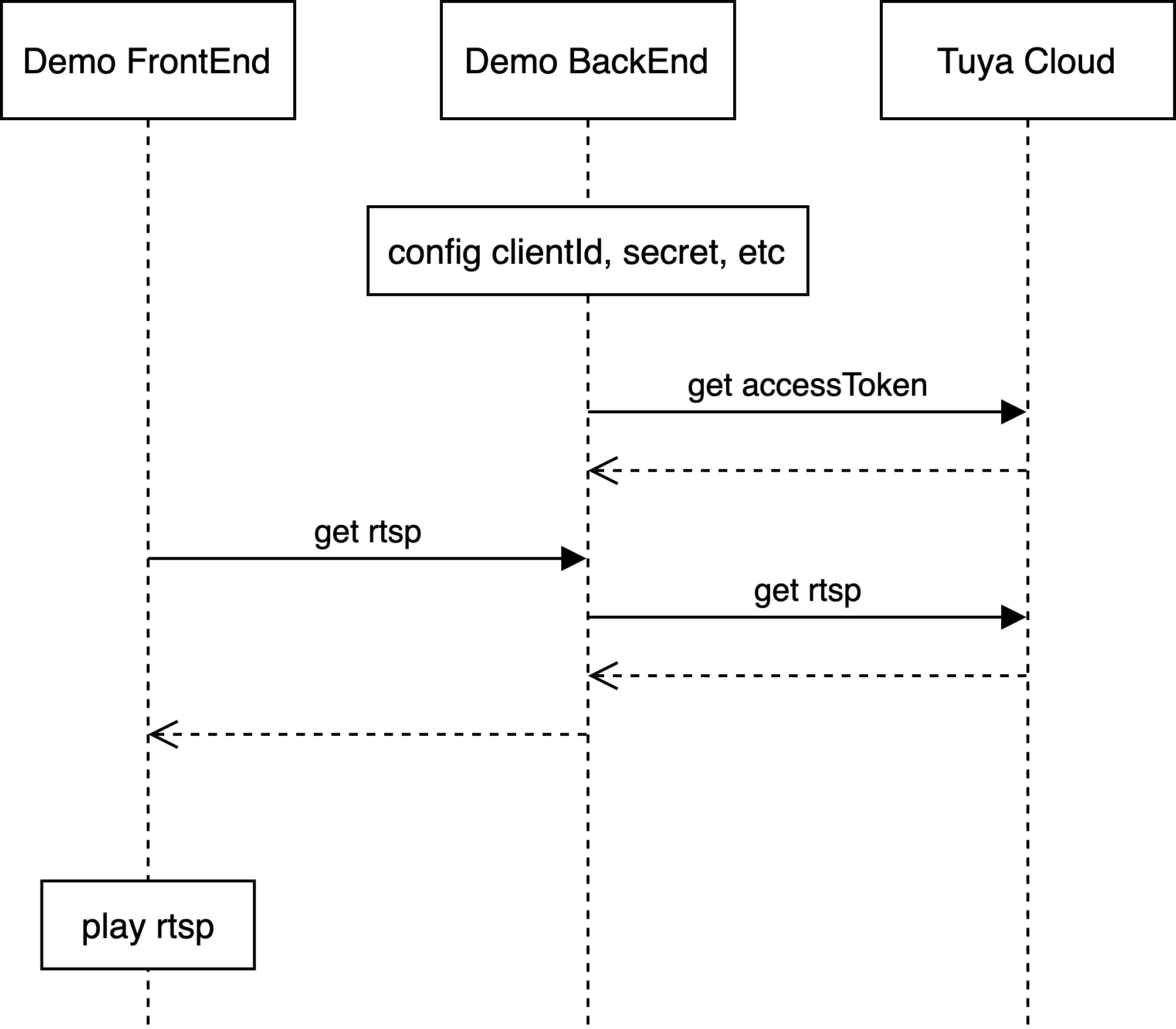
Web front-end
Web back-end
Tuya Cloud
Log in to the Cloud Development Platform and get Access ID and Access Secret in the project information.
Update Access ID and Access Secret to clientId and secret in the webrtc.json file respectively.
Update authorization mode and information.
easyauthEnter deviceId. Select an IPC in the Tuya Smart app and check the device ID.
Download the source code from GitHub. In the root directory of the source code, execute go get and then execute go build.
Execute ./webrtc-demo-go.
Open http://localhost:3333/api/stream/rtsp with Chrome and get the RTSP play address.
Enable the network in ffplay in 30 seconds, and enter the RTSP play address to play RTSP live stream.