The device log storage service provides near real-time recording and long-term storage of data usage of online activated devices. The safe and flexible service improves data operations.
Note: The device log is the device usage record sorted by time. This service can store the logs of online activated devices in Tuya IoT Platform> Products> Device Logs. You can view the logs in real-time after your subscription.
It allows you to precisely track the actual conditions of devices and consumables. Users also get timely care in the form of device maintenance, consumable replacement, and other services. When users have feedback problems, you can retrace the scene when errors occur by checking the device log to help locate and troubleshoot the problems.
You can customize the data point (DP) records that need to be displayed on the panel. When users operate a specific DP, relevant operation records will be displayed on the panel. For example, security alert records and door unlocking records help users track alerts and operation status of the device.
Note: A seven-day free version is provided by default, and the log storage period can be customized by subscribing to value-added services.
In terms of the free version, you can only query seven-day logs on the Tuya IoT Platform, and the panel also displays logs for the last seven days. In terms of the paid version, you can select storage periods for different types of logs and extend the storage period for some reported DPs. You can also set the log types and storage periods for queries as needed.
Note: The APIs of the free version and the paid version are different. If the paid version is activated, contact our customer service to get the API of the paid version.
Billing period
The log service calculates the number of writing and storage items of each device on a daily basis. The amount over the threshold is settled according to the usage.
Billing components
| Billing items | Description | Billing formula |
|---|---|---|
| Lifetime usage fee for the device | After a device is activated, a one-time fee for the lifetime usage of the device will be charged, and usage within the daily free writing and storage quota is free for life. | The unit price is determined according to the first-level category and storage period of the device |
| Overage writing fee | An overage fee will be charged for the writing items over the daily threshold for each device. | (Number of daily writing items – daily free writing quota) * unit price for each writing item |
| Overage storage fee | An overage fee will be charged for the storage items over the daily threshold for each device. | (Number of daily storage items – daily free storage quota) * unit price for each storage item |
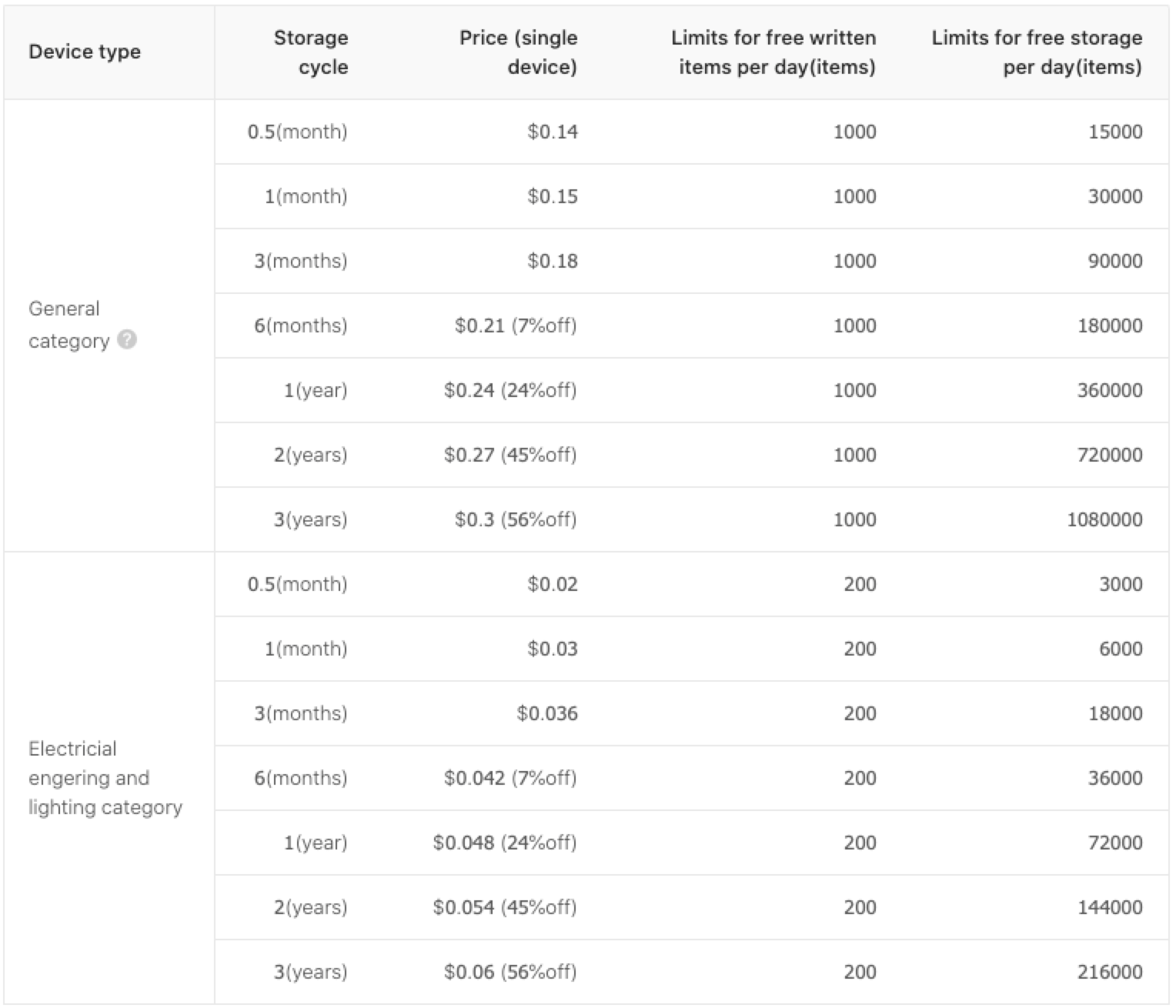
After the device is activated, a one-time fee for the lifetime usage of the device will be charged. Usage within the daily writing and storage quota is free, while the amount over the daily writing and storage quota will be calculated daily and billed monthly.
The unit price of a device is determined according to the first-level category and log storage period of the device. And different writing and storage thresholds are set for different categories and storage periods. See the table below for details:
The amount over the threshold will be calculated individually according to writing and storage. It is shown as follows: 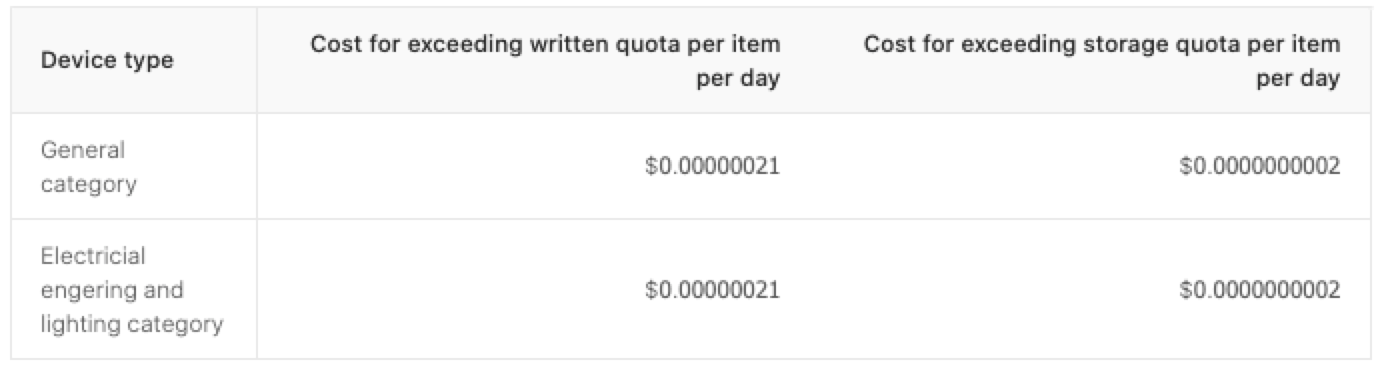
Note: For most products, the free quota can meet your needs and the overage fee is almost negligible. In case some products generate too many logs, you can reduce daily writing and storage items by opting for certain log types to cut the cost.
Billing example
Example 1: 100 devices in common categories are activated daily with 900 writing items and 20,000 storage items each, and a storage period of one month.
The daily cost is 100 * 1 + 0 + 0 = CNY100 . See the table below for details:
| Billing items | Description |
|---|---|
| Lifetime usage fee for the device | For a storage period of one month, the unit price of lifetime usage for a device in a common category is CNY1. Therefore the daily cost is 100 * 1 = CNY100. |
| Overage writing fee | No overage fee is charged as the number of the writing items of each device is within the threshold of 1,000 items. |
| Overage storage fee | No overage fee is charged as the number of the storage items of each device is within the threshold of 30,000 items. |
Example 2: A total of 10,000 devices in common categories with 1,100 writing items and 31,000 storage items each, and storage period of one month.
The daily cost is 0 + 1.4 + 0.013 = CNY1.413. See the table below for details:
| Billing items | Description |
|---|---|
| Lifetime usage fee for the device | No overage fee is charged as no new devices are activated. |
| Overage writing fee | A total of 10,000 devices with daily over-threshold-writing items of 100 each. The overage fee is 10000 * 0.0000014 * (1100-1000) = CNY1.4 |
| Overage storage fee | A total of 10,000 devices with daily over-threshold-storage items of 1,000 each. The overage fee is 10000 * 0.0000000013 * (31000-30000) = CNY0.013 |
On the Logs Storage Service page, click Price calculator.
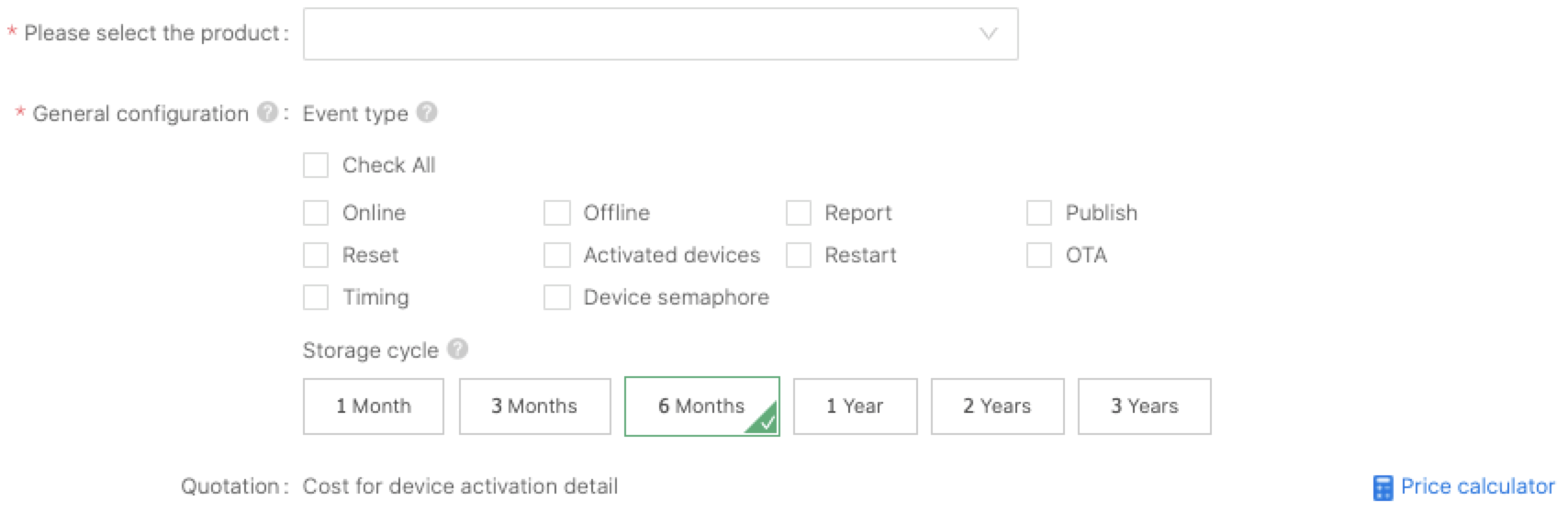
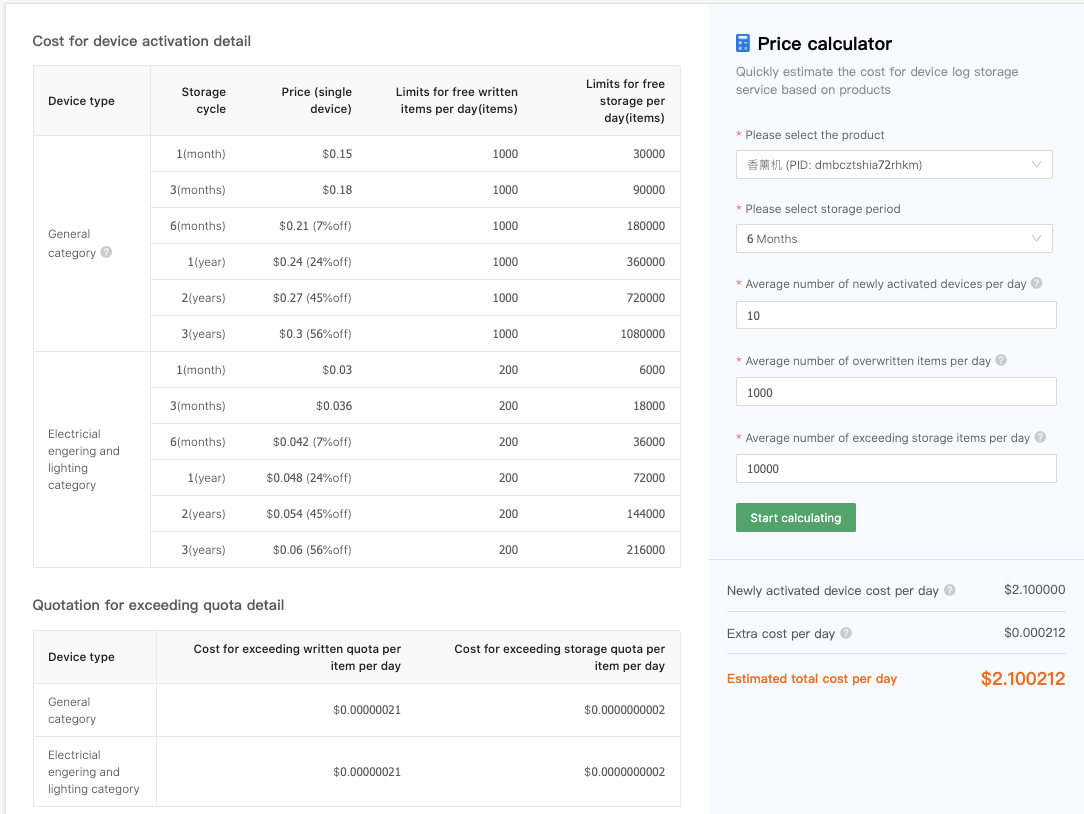
Select a product and storage period after entering the Price calculator page. You can see the Average number of newly activated devices per day in the last seven days, the Average number of overwritten items per day, and the Average number of exceeding storage items per day. You can enter a more proper number to calculate. Click Start calculating and you can see the daily cost.
1. Why is the billing fee so high in the first month after subscription?
It won’t charge for the first time. The bill for the first month covers not only the overage fee of writing items and storage items but also the lifetime usage fee of all the activated devices concerning the product. From the second month, the bill only covers the lifetime usage fee of newly activated devices and the overage fee of writing and storage items in the same month.
For example:
1,000 devices are activated before subscription. The product is in the common category. The selected retention is one month. 100 new devices are activated in the present month and no device is activated in the second month. The numbers of daily writing items and daily storage items are 900 and 20,000 respectively for each device. Only the lifetime usage fee is charged without overage fee since the writing and storage are within the quotas.
The fee for the first month: (10000 + 100) * 1 = CNY10,100
The fee for the second month is 0 as no new devices are activated.
2. What are the prerequisites for the device log storage service?
The device log storage service can be subscribed for the products that have been mass-produced and sold on the market.
3. What are the options for the storage periods of the device log?
Currently, the options are one month, three months, six months, one year, two years, and three years.
4. How to extend the storage period of Report DP?
On the Logs Storage Service page, after you select a product, select Report in the General configuration list, and you will see DP configuration. Then you can extend the storage periods of some DPs. As it is shown below, after configuring, you can see 3-month logs of Switch and Spray DPs.
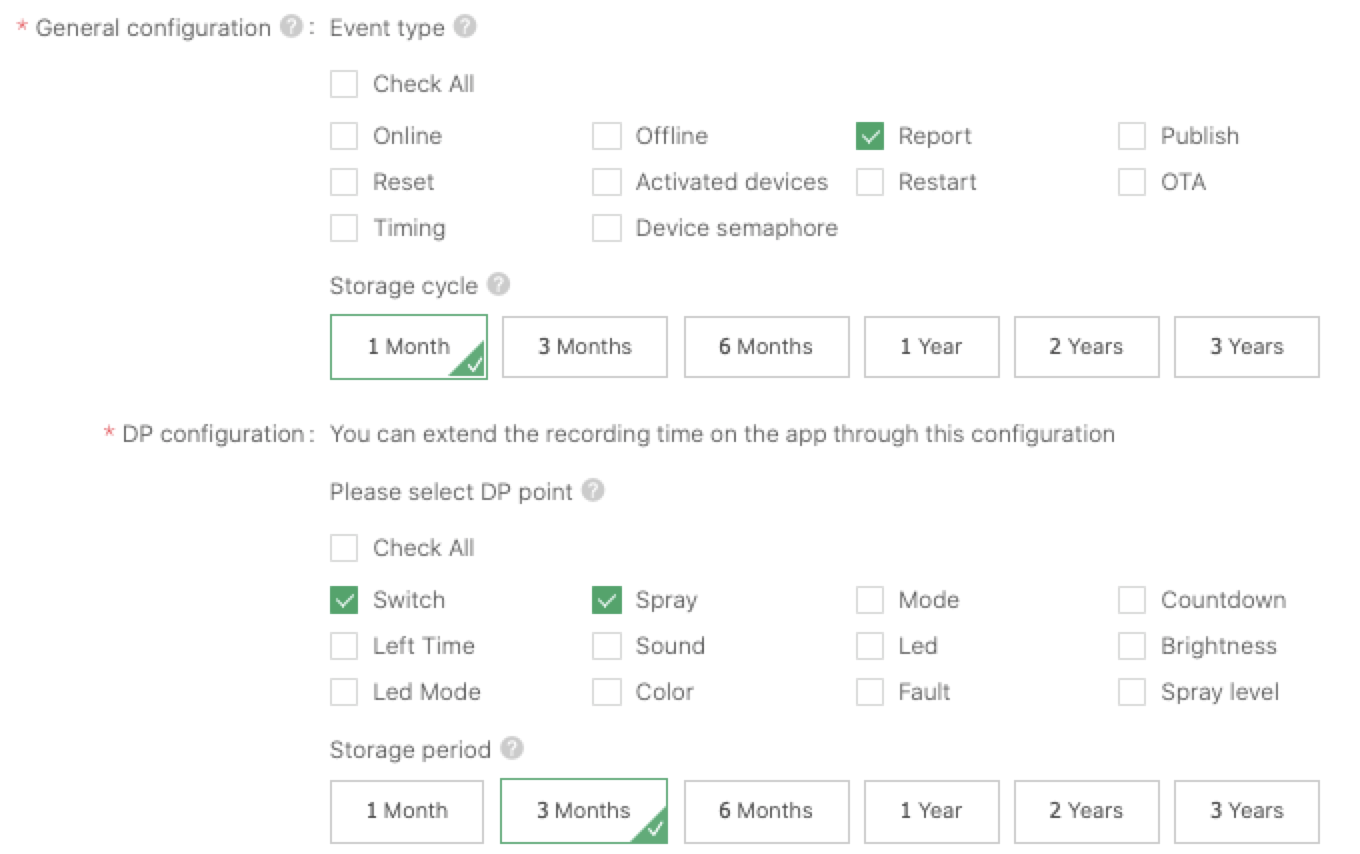
Note: The Report in General configuration is the report status of all the DPs, and the DP configuration below is the storage period status of some DPs. The larger value between the two is taken as the storage period. For example, when the Report in General configuration is three months and the DP configuration below is one month, the storage period of all the DPs is still three months.
5. How to stop billing?
You can contact customer service to cancel the service. After the fee is cleared, the service will be canceled in seven working days.
Warning: If the service is canceled, the logs beyond seven days will be deleted irrecoverably. And the device activation fee will be charged again the next time you subscribe to the service.
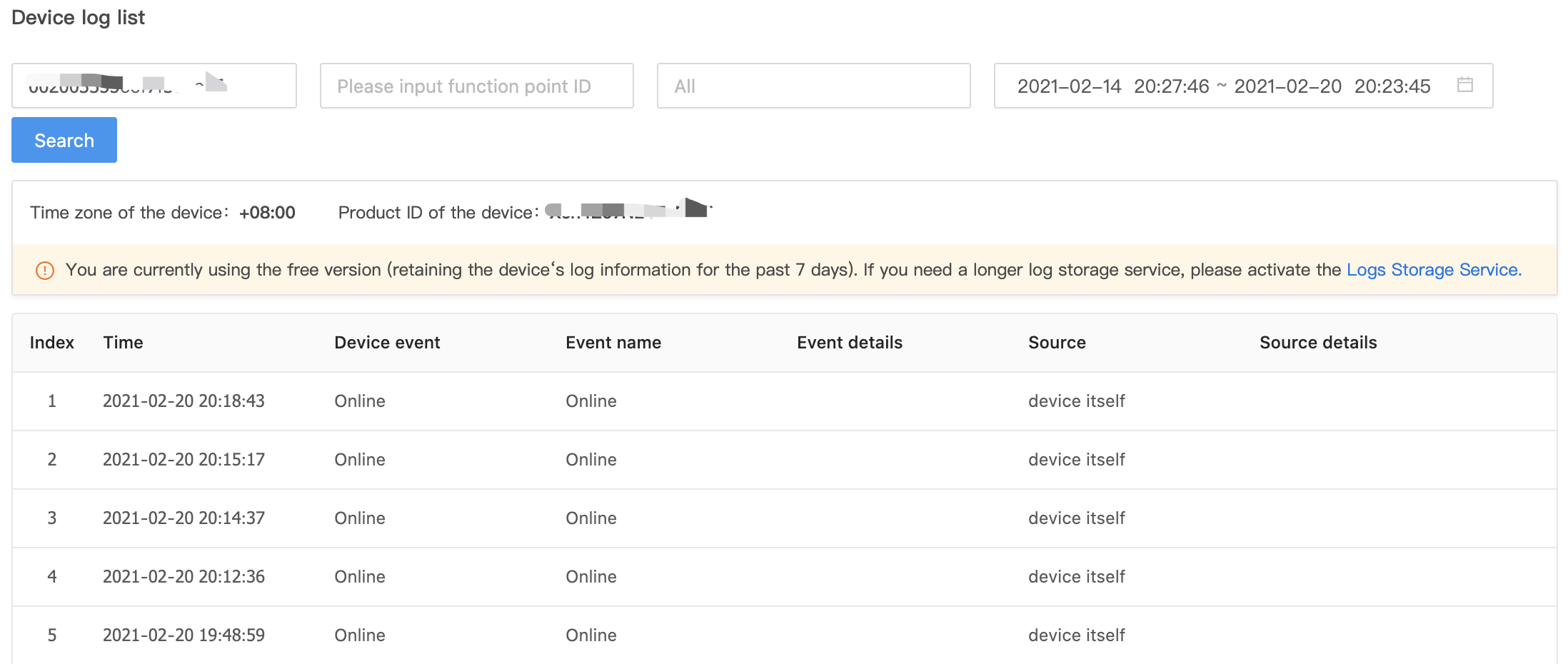
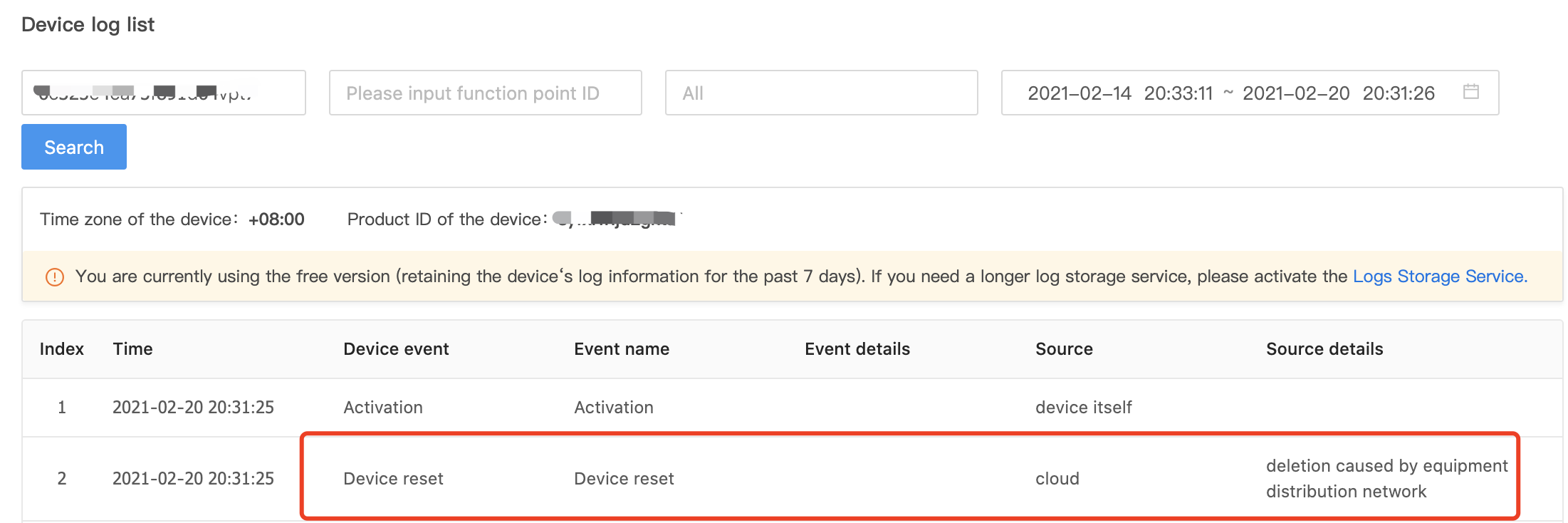
Log in to the Tuya IoT Platform, and select Products > Device > Device Logs in the left navigation bar to enter the Log query page.
When you enter the device ID, it searches for the logs in the last seven days by default. You can filter logs by function point ID, log type, and time period.
Field description is as follows:
| Field | Description |
|---|---|
| Serial number | Sort log generation time in descending order. |
| Time | The time converted according to the selected time zone. |
| Event | Types of logs |
| Event name | Specific event names. The logs of report and send types indicate specific DPs. |
| Details | Content of logs. If the log type is report or send, the report content is the content of a certain DP. |
| Source | It is currently divided into the device itself, the cloud, the client, and the third-party voice platform. |
| Source details | The cause that triggered the event. For example, if the source is a third-party voice platform, the source detail might be Alexa. |
Note: You can view the data in the last seven days by default. If you have subscribed to the storage service, you can view the log data for a longer period.
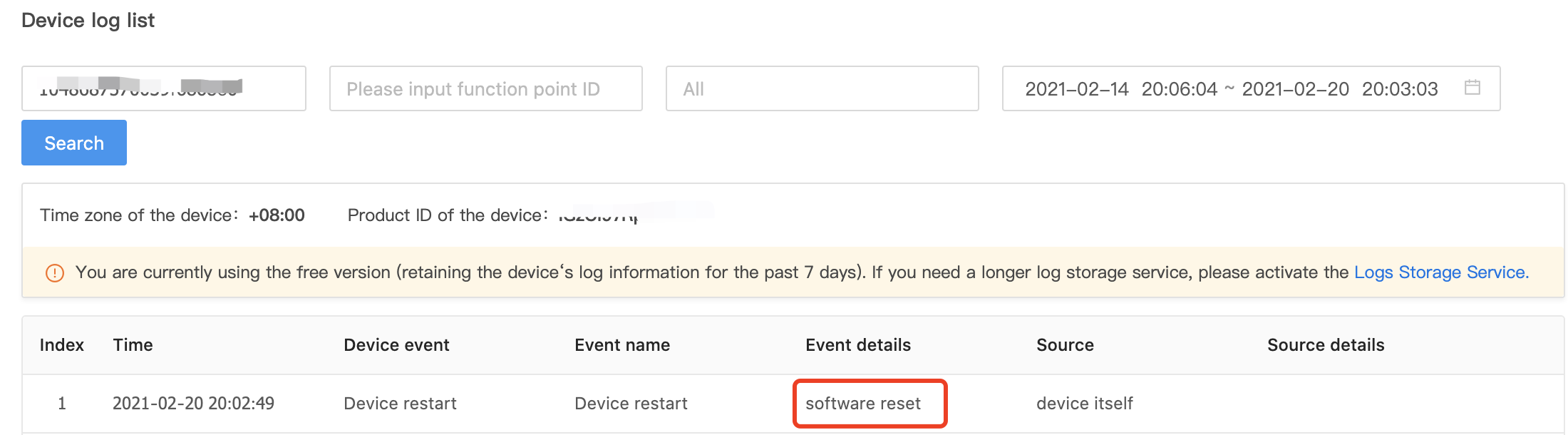
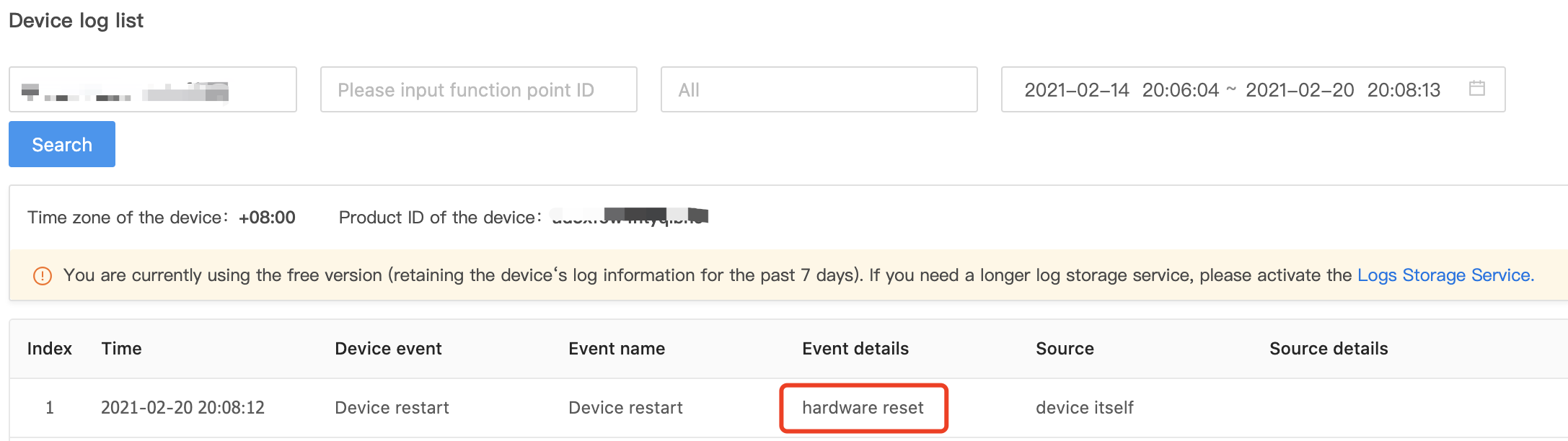
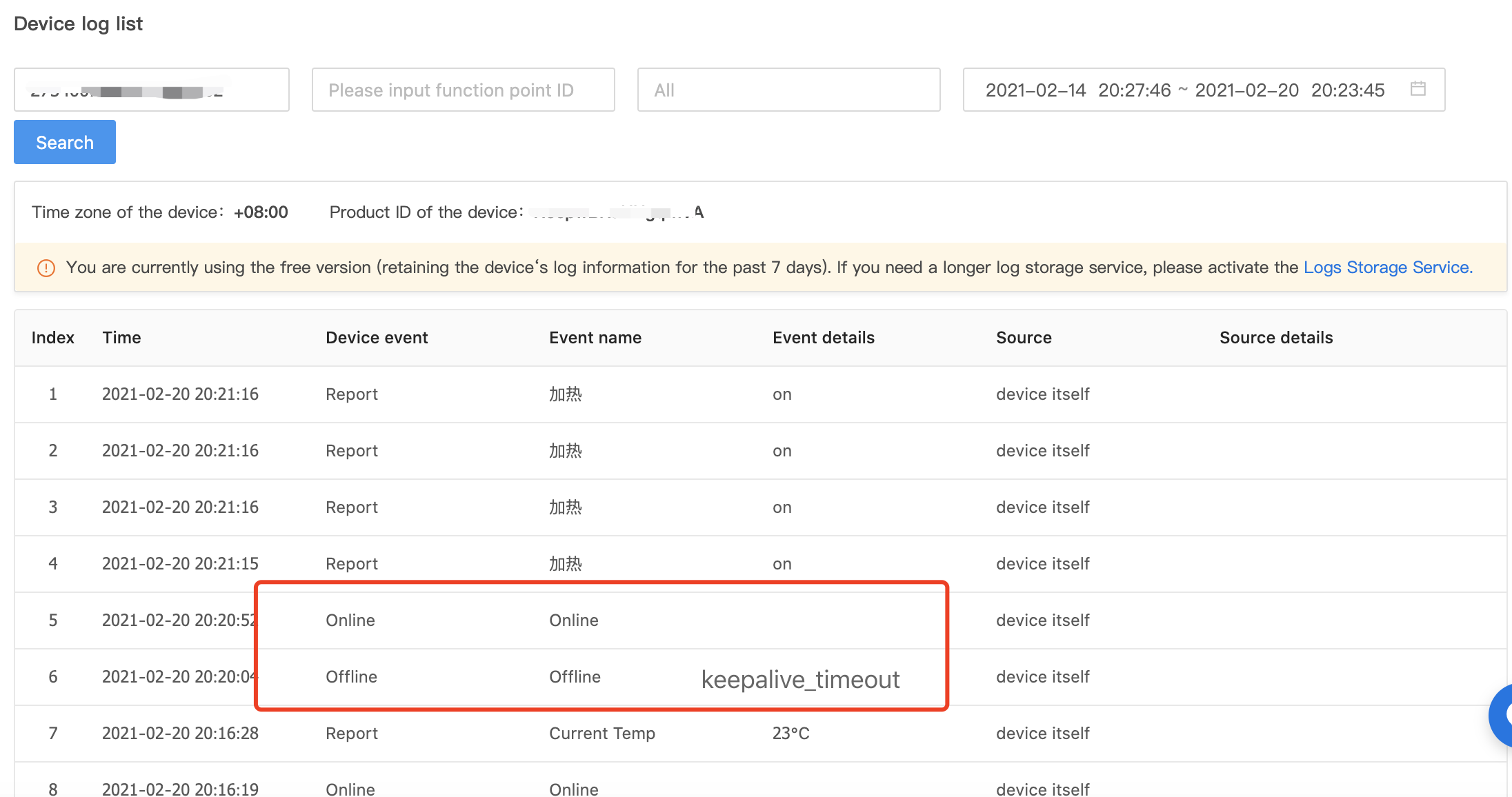
Contact customer service or business manager to get API. You can get paid API if you have subscribed to log service.
For more information, see Device Log Storage.